
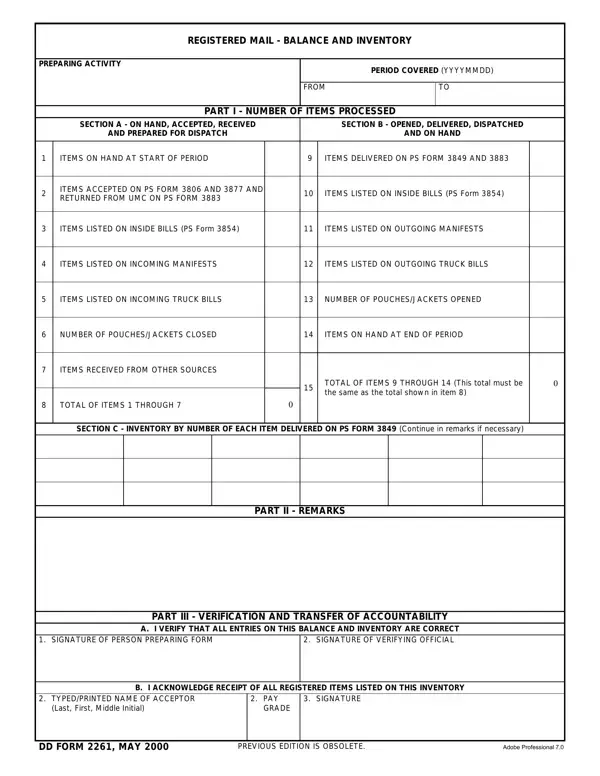

DD Form 2261 at a glance
What it is: DD FORM 2261 is the REGISTERED MAIL - BALANCE AND INVENTORY form.
Who signs: In PART III - VERIFICATION AND TRANSFER OF ACCOUNTABILITY, A. I VERIFY THAT ALL ENTRIES ON THIS BALANCE AND INVENTORY ARE CORRECT: SIGN SIGN, two SIGN lines. The acceptor signs B. I ACKNOWLEDGE RECEIPT OF ALL REGISTERED ITEMS LISTED ON THIS INVENTORY: SIGN, with the TYPED/PRINTED NAME OF ACCEPTOR.
A filled-in DD Form 2261 example: a mail clerk balances one day
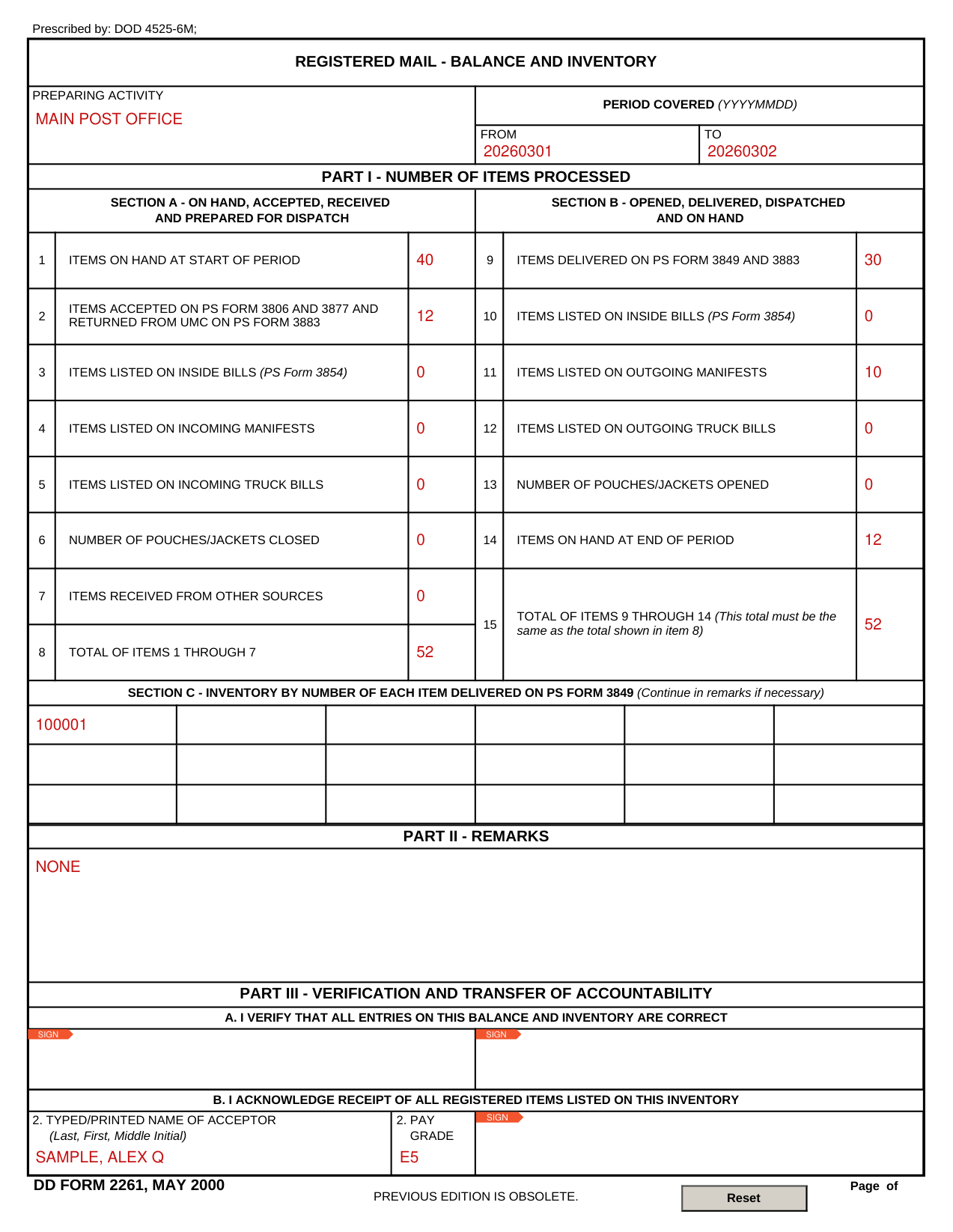
How to fill out DD Form 2261, box by box
Preparing activity and period covered

Enter the PREPARING ACTIVITY and the PERIOD COVERED (YYYYMMDD) FROM and TO.
Part I Section A: on hand, accepted, received
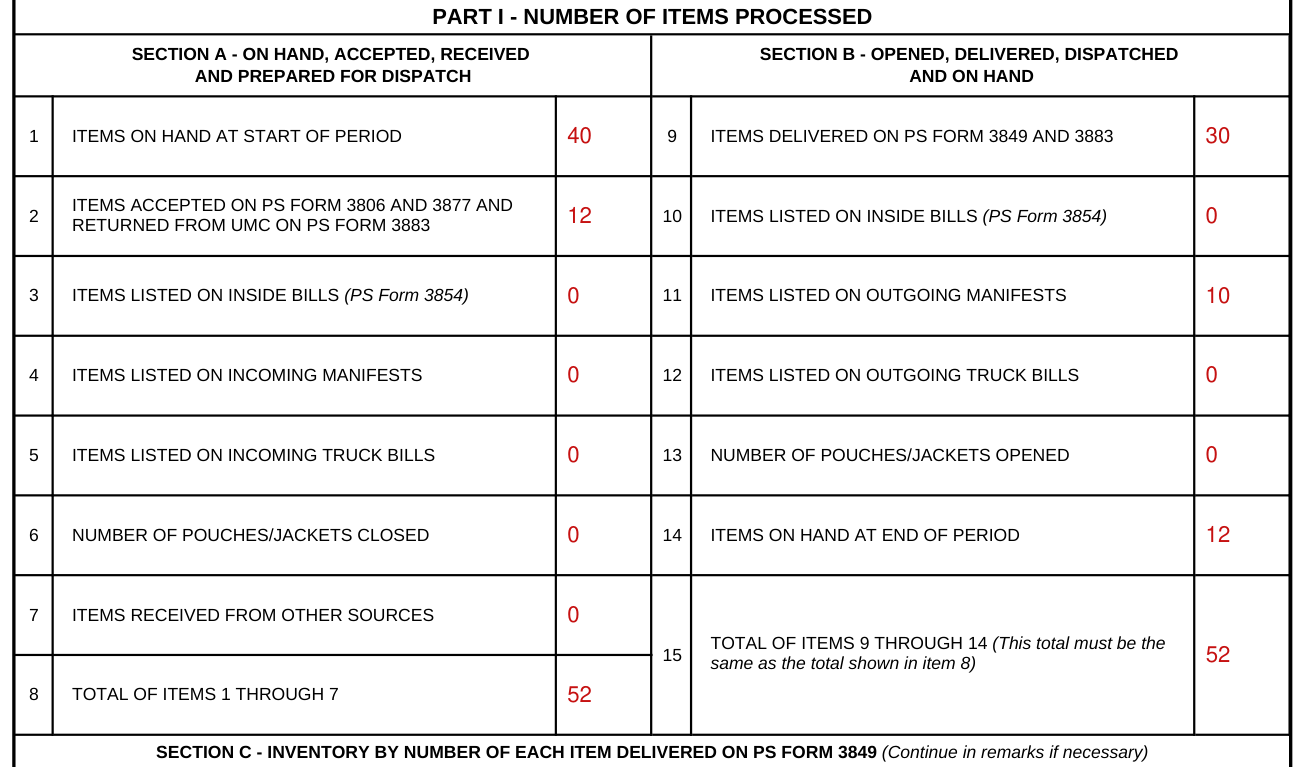
In SECTION A - ON HAND, ACCEPTED, RECEIVED, enter ITEMS ON HAND AT START OF PERIOD in item 1 and ITEMS ACCEPTED ON PS FORM 3806 AND 3877 AND RETURNED FROM UMC ON PS FORM 3883 in item 2.
Enter ITEMS LISTED ON INSIDE BILLS (PS Form 3854) in item 3, ITEMS LISTED ON INCOMING MANIFESTS in item 4, ITEMS LISTED ON INCOMING TRUCK BILLS in item 5 and ITEMS RECEIVED FROM OTHER SOURCES in item 7.
Enter NUMBER OF POUCHES/JACKETS CLOSED in item 6.
Item 8 is the TOTAL OF ITEMS 1 THROUGH 7.
Part I Section B: opened, delivered, dispatched and on hand
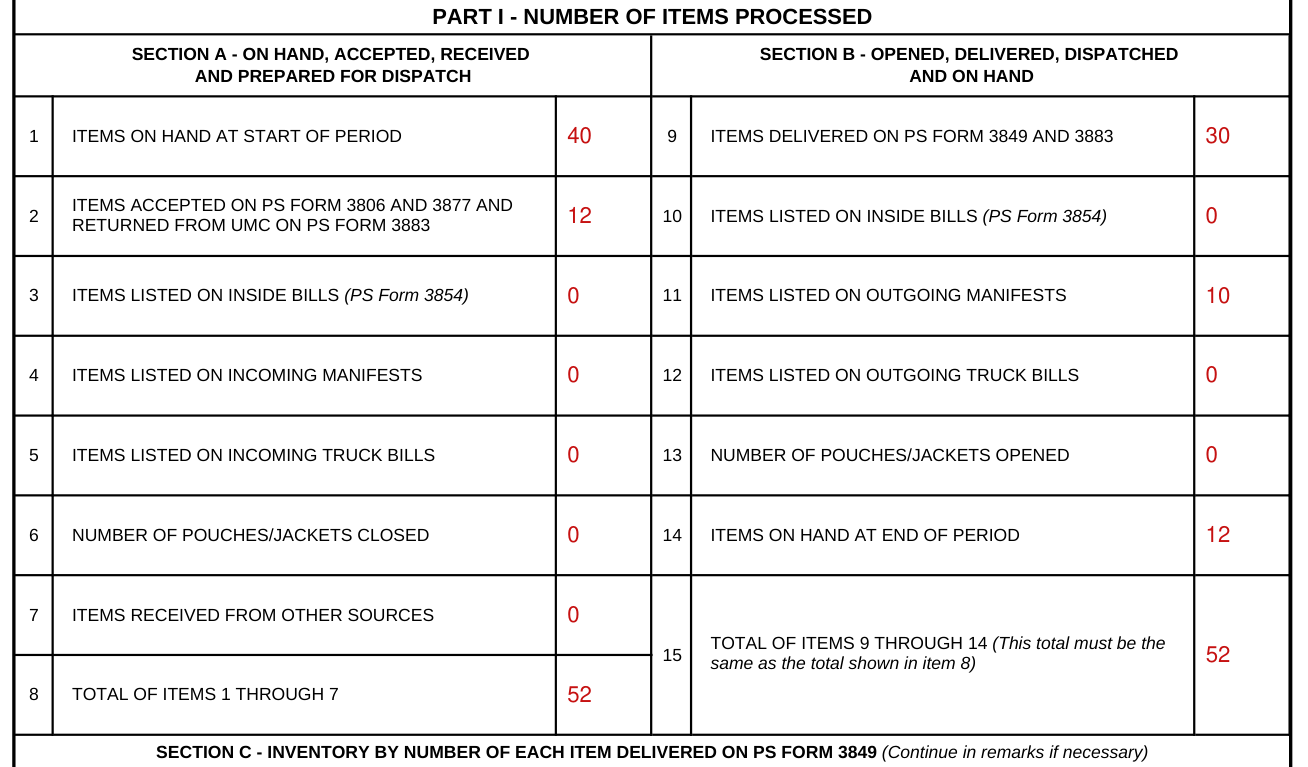
Section B: opened, delivered, dispatched and prepared for dispatch and on hand.
Enter ITEMS DELIVERED ON PS FORM 3849 AND 3883 in item 9.
Enter ITEMS LISTED ON INSIDE BILLS (PS Form 3854) in item 10.
Enter ITEMS LISTED ON OUTGOING MANIFESTS in item 11 and ITEMS LISTED ON OUTGOING TRUCK BILLS in item 12.
Enter NUMBER OF POUCHES/JACKETS OPENED in item 13 and ITEMS ON HAND AT END OF PERIOD in item 14.
Item 15 is the TOTAL OF ITEMS 9 THROUGH 14 (This total must be the same as the total shown in item 8).
Section C: inventory by number of each item delivered

In Section C, list the inventory by number of each item delivered on PS Form 3849 (Continue in remarks if necessary).
Part II remarks

PART II - REMARKS.
Acceptor name and pay grade
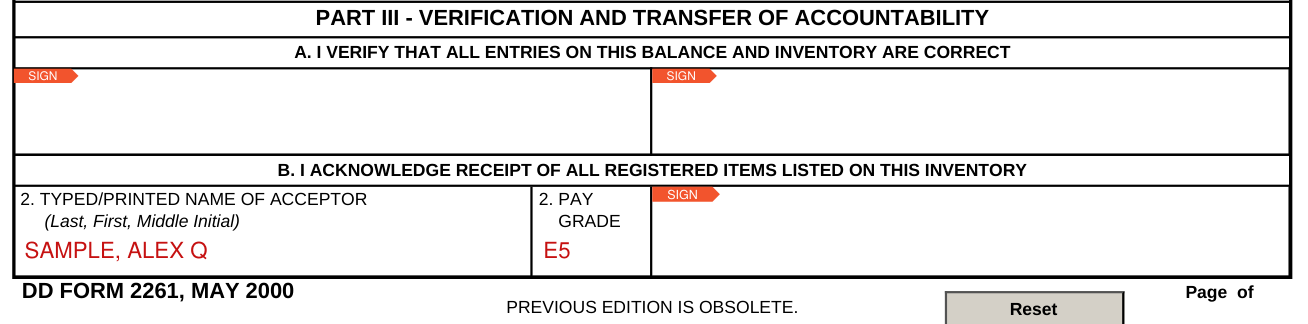
Enter the TYPED/PRINTED NAME OF ACCEPTOR (Last, First, Middle Initial) and the PAY GRADE.
More rules for DD Form 2261
Prescribed by: DOD 4525-6M.
PART IV - PHYSICAL INVENTORY (Enter complete listing at the close of business or shift change)
Sources
[1] DD Form 2261 (MAY 2000), Registered Mail - Balance and Inventory (the Official source link on this page).