P 45 It Form PDF Details

Navigating the transition for employees leaving a job involves several key steps to ensure a smooth changeover for both the departing employee and their employer. Central to this process in the UK is the P45 form, a document that encapsulates essential information related to an employee's departure from an organization. This form, serving as a cornerstone of the UK tax system, facilitates the update of records by HM Revenue & Customs (HMRC) and ensures that employees are correctly taxed in their new employment or upon leaving work entirely. The P45 form is divided into multiple parts, each serving a distinct purpose; Part 1 is sent directly to HMRC by the employer, Part 1A is retained by the employee for their records, and Parts 2 and 3 play a crucial role in the new employer's onboarding process or in the employee's claims for certain benefits. The form captures a wide array of information, from basic employee details and National Insurance number to more specific data such as total pay to date, tax deducted in the employment just ended, and indications of any student loan deductions. Broader implications of the P45 form include its role in informing tax credit adjustments, potential tax refund claims, and the specific steps an employee needs to take when moving to a new job, seeking benefits, or leaving the UK. Employer responsibilities include accurate completion and timely submission of parts of the form to both HMRC and the employee, ensuring a legally compliant and efficient transition for the employee moving forward.

QuestionAnswer
Form NameP 45 It Form
Form Length4 pages
Fillable?Yes
Fillable fields176
Avg. time to fill out36 min 16 sec
Other namesp45 template, p45 pdf, blank p45 template uk, p45 online

How to Fill Out Form P45 (Manual) Part 1

Form P45 (Manual) Part 1 at a glance

What it is: P45 Part 1 is the Details of employee leaving work, the Copy for HM Revenue & Customs.

Who signs: The employer certifies that the details entered in items 1 to 11 on this form are correct, and enters the Employer name and address.

A filled-in Form P45 (Manual) Part 1 example: filling in Part 1 of a P45
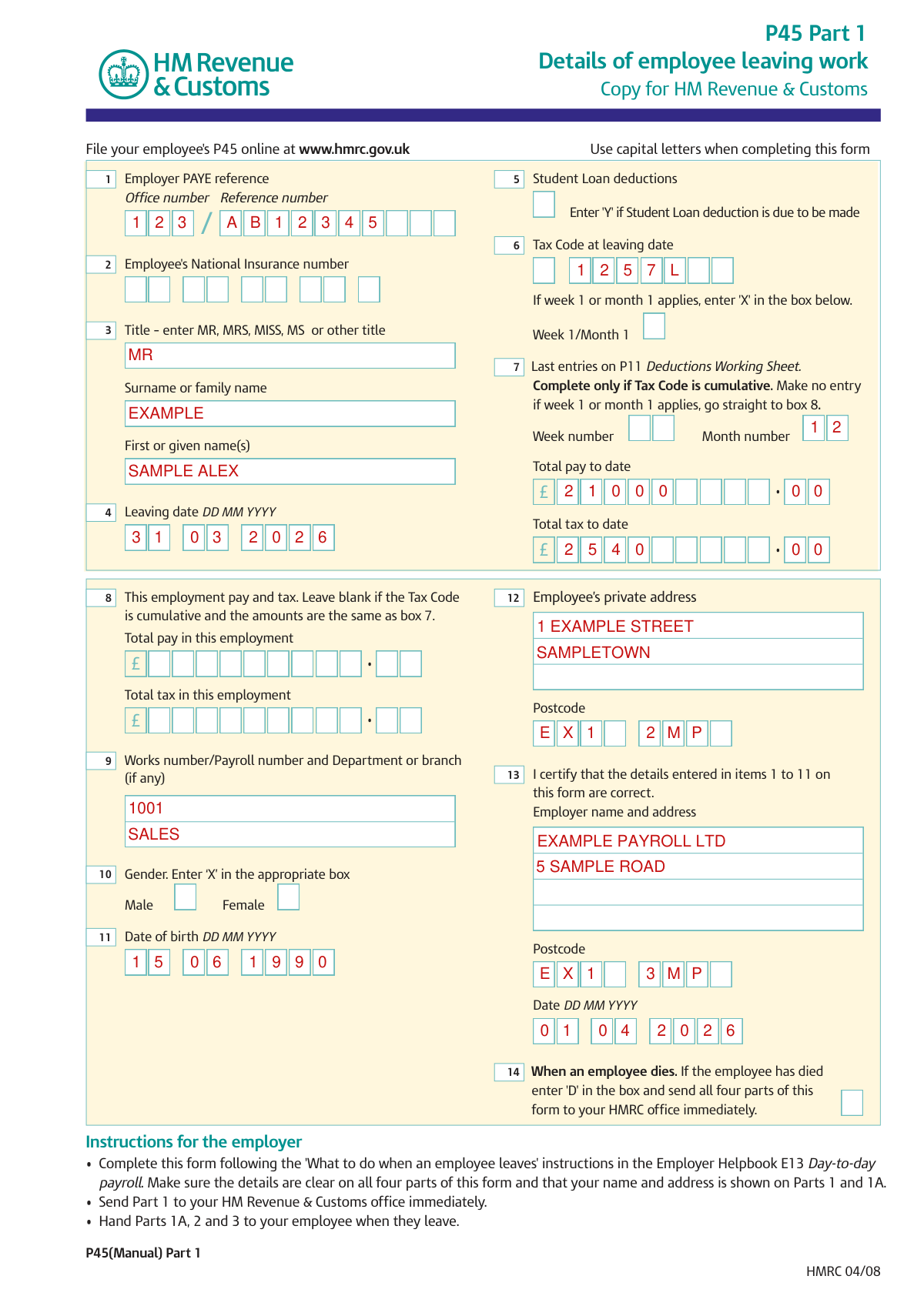
Form P45 (Manual) Part 1 example filled out, example: filling in Part 1 of a P45
A payroll clerk completes Part 1 of a P45 for a leaving employee. The employee leaves on 31 03 2026 under Tax Code 1257L, so Week 1/Month 1 stays empty. The picture shows the filled boxes, and none of its entries is real. The Tax Code is cumulative, so the last entries are for Month number 12. The employee had no earlier job this tax year, so This employment pay and tax stays empty.

How to fill out Form P45 (Manual) Part 1, box by box

Employer PAYE reference and National Insurance number

Form P45 (Manual) Part 1 example filled out, employer PAYE reference and National Insurance number

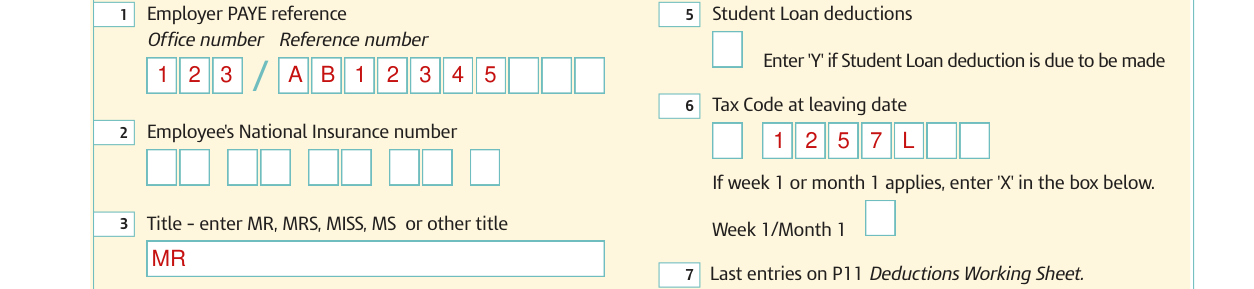
Enter the Employer PAYE reference as the Office number and the Reference number.

Enter the Employee's National Insurance number.

Student Loan deductions and Tax Code
Form P45 (Manual) Part 1 example filled out, student Loan deductions and Tax Code

Under Student Loan deductions, enter 'Y' if Student Loan deduction is due to be made.

Enter the Tax Code at leaving date. If week 1 or month 1 applies, enter 'X' in the box under the Tax Code.

Title and name

Form P45 (Manual) Part 1 example filled out, title and name

Enter MR, MRS, MISS, MS or other title as the title.

Enter the Surname or family name and the First or given name(s).

Leaving date

Form P45 (Manual) Part 1 example filled out, leaving date

Enter the Leaving date as DD MM YYYY.

Last entries on P11 Deductions Working Sheet

Form P45 (Manual) Part 1 example filled out, last entries on P11 Deductions Working Sheet

Enter the Week number or Month number, the Total pay to date and the Total tax to date as the Last entries on P11 Deductions Working Sheet. Complete only if Tax Code is cumulative. Make no entry if week 1 or month 1 applies, go straight to box 8.

This employment pay and tax

Form P45 (Manual) Part 1 example filled out, this employment pay and tax

Under This employment pay and tax, enter the Total pay in this employment and the Total tax in this employment. Leave blank if the Tax Code is cumulative and the amounts are the same as box 7.

Employee's private address

Form P45 (Manual) Part 1 example filled out, employee's private address

Enter the Employee's private address and Postcode.

Works number, gender and date of birth
Form P45 (Manual) Part 1 example filled out, works number, gender and date of birth

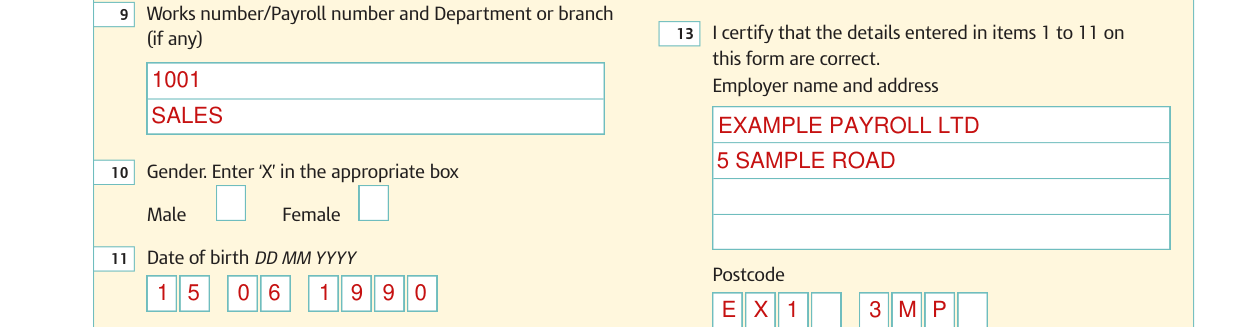
Enter the Works number/Payroll number and Department or branch (if any).

Under Gender, enter 'X' in the appropriate box, Male or Female.

Enter the Date of birth as DD MM YYYY.

Date
Form P45 (Manual) Part 1 example filled out, date

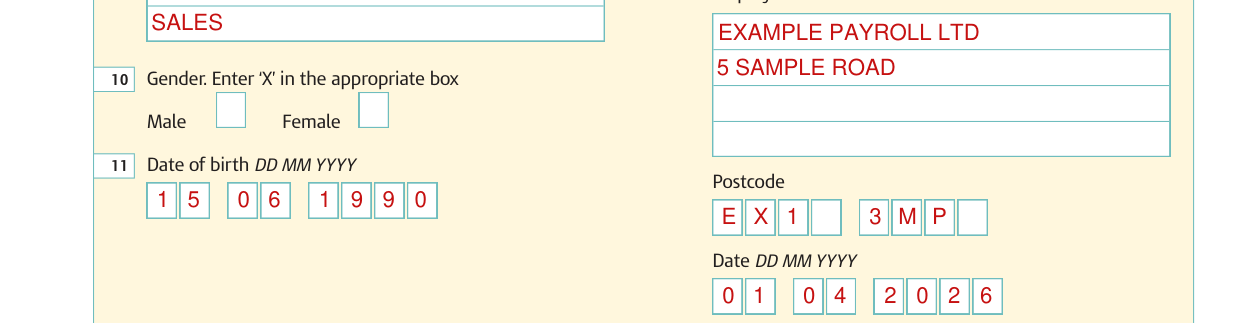
Enter the Date as DD MM YYYY.

When an employee dies

Form P45 (Manual) Part 1 example filled out, when an employee dies

When an employee dies. If the employee has died enter 'D' in the box and send all four parts of this form to your HMRC office immediately.

More rules for Form P45 (Manual) Part 1

Use capital letters when completing the form.

File your employee's P45 online at www.hmrc.gov.uk.

Keep Part 1A safe; copies are not available.

The new employer completes boxes 8 to 18 and sends P45 Part 3 only to the HMRC office immediately.

Common questions about Form P45 (Manual) Part 1

Where do I file it?

Complete this form following the 'What to do when an employee leaves' instructions in the Employer Helpbook E13 Day-to-day payroll. Make sure the details are clear on all four parts of this form and that your name and address is shown on Parts 1 and 1A. Send Part 1 to your HM Revenue & Customs office immediately. Hand Parts 1A, 2 and 3 to your employee when they leave.

Sources

[1] Form P45(Manual) Part 1, HMRC 04/08 (the Official source link on this page).

Please rate P 45 It Form

1 Votes
If you believe this page is infringing on your copyright, please familiarize yourself with and follow our DMCA notice and takedown process - click here to proceed .