Please rate Psc For Hire License 10-28-24

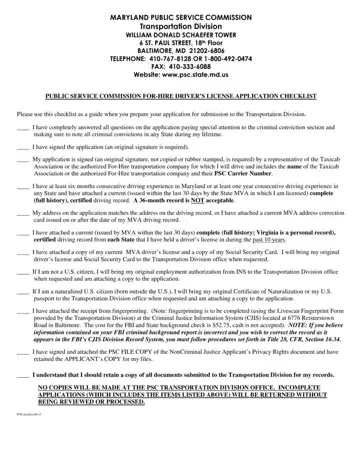
Obtaining a Public Service Commission (PSC) For-Hire Driver’s License represents a critical step for individuals aiming to operate within the for-hire transportation sector in Maryland. This process, detailed in the PSC For-Hire License application checklist, requires applicants to provide comprehensive personal and professional information to ensure compliance with state regulations. Candidates must disclose any criminal convictions across all states, affirmatively sign the application with an original signature, and have their application endorsed by a registered Taxicab Association or an authorized For-Hire transportation company. Additionally, prospective drivers are required to demonstrate substantial driving experience, confirmed through a certified full-history driving record, and match their application address with their driving record or provide a current Motor Vehicle Administration (MVA) address correction card. The requirement extends to possessing a valid driver's license, a Social Security Card, and, for non-U.S citizens, applicable immigration documentation. Also crucial is the submission of a fingerprint receipt, as fingerprinting provides a background check necessary for maintaining the safety standards of for-hire transportation services. The extensive checklist underscores the PSC's commitment to safety and regulatory compliance, reflecting the thorough vetting process applicants must navigate. This endeavor involves coordination with multiple state departments and possibly, the adjustment of personal documents to meet the stated requirements, indicating the importance the Commission places on ensuring that only qualified individuals are granted the privilege to operate within Maryland's for-hire transportation network.
| Question | Answer |
|---|---|
| Form Name | Psc For Hire License |
| Form Length | 6 pages |
| Fillable? | Yes |
| Fillable fields | 104 |
| Avg. time to fill out | 1 min 45 sec |
| Other names | maryland pfh license, what is a psc license, psc permit, maryland public service commission taxi |
Psc For Hire License isn’t the one you’re looking for?
Please rate Psc For Hire License 10-28-24
