
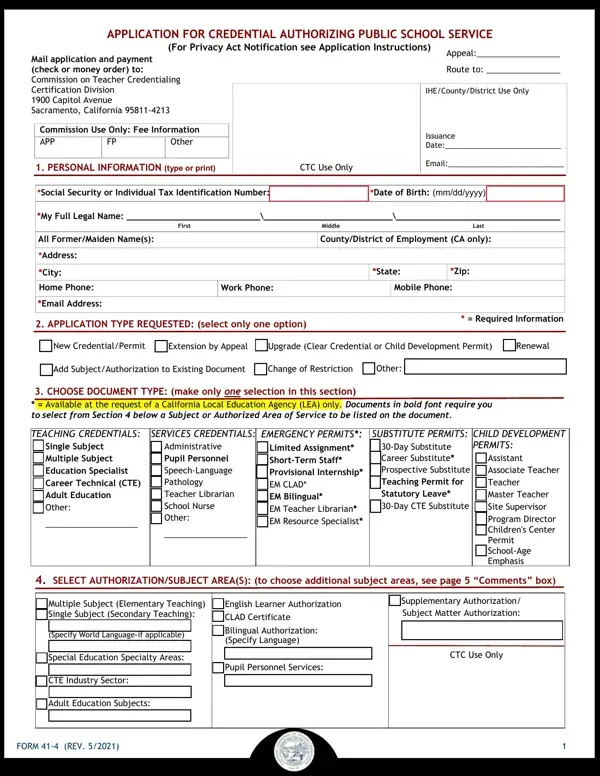
Form 41-4, titled 'Application for Credential Authorizing Public School Service,' is issued by the California Commission on Teacher Credentialing (CTC). Teachers, school counselors, and other education professionals use it to apply for new credentials, extend or upgrade existing ones, or request specific credential modifications. It is a required step for all educators seeking to work in California public schools.
Applicants must provide personal information and select the specific credential type or subject area they are authorized to teach. Those renewing a child development permit must also document completed professional growth activities. Authorization areas include teaching credentials, pupil personnel services, career technical education, and adult education subjects.
A dedicated section addresses professional fitness, requiring applicants to answer questions about their legal and professional history. Applicants must also acknowledge their responsibilities as mandated reporters of child abuse and neglect under California law. Accurate and honest responses in all sections allow the CTC to process your credential application without delays.
| Question | Answer |
|---|---|
| Form Name | 41 4 Form |
| Form Length | 5 pages |
| Fillable? | No |
| Fillable fields | 0 |
| Avg. time to fill out | 1 min 15 sec |
| Other names | credential 4 form, application subject permit get, form 41 4, 41 4 application form |
41 4 Form isn’t the one you’re looking for?