
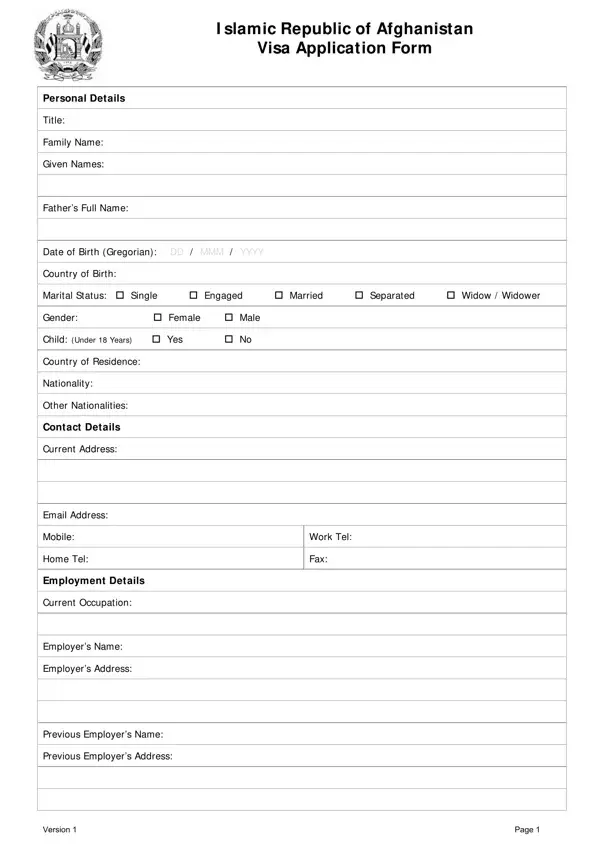
The Afghanistan Visa Application Form is a comprehensive government document required for foreign nationals entering the Islamic Republic of Afghanistan for business, education, tourism, or family visits. The form collects fundamental personal information including full name, date of birth, country of birth, gender, marital status, and whether you are traveling with children under 18 years of age.
Applicants must provide contact details, current address, email, and phone number, along with employment information such as current occupation, employer name, and employer address. The visa details section asks for the intended duration of stay, entry date, point of entry, purpose of the journey, and specific places to visit within Afghanistan. Previous visits to Afghanistan or any prior visa applications and any criminal records must be disclosed.
Passport details including passport type, number, place of issue, issue date, and expiry date are required. A passport-sized photograph meeting Afghan authority specifications and the applicant's signature complete the personal section. Office-use sections document the receipt and processing of the application by Afghan authorities.
FormsPal also offers related travel document forms including the Schengen Visa Application Form, the Tanzania Visa Application Form, the Australia Visa Application Form, and the Bahamas Visa Application. For passport-related documents, see the British Passport Application Form.
| Question | Answer |
|---|---|
| Form Name | Afghanistan Visa Application Form |
| Form Length | 3 pages |
| Fillable? | No |
| Fillable fields | 0 |
| Avg. time to fill out | 45 sec |
| Other names | afghanistan form personal, afghanistan application, application visa afghanistan, application afghanistan visa |