
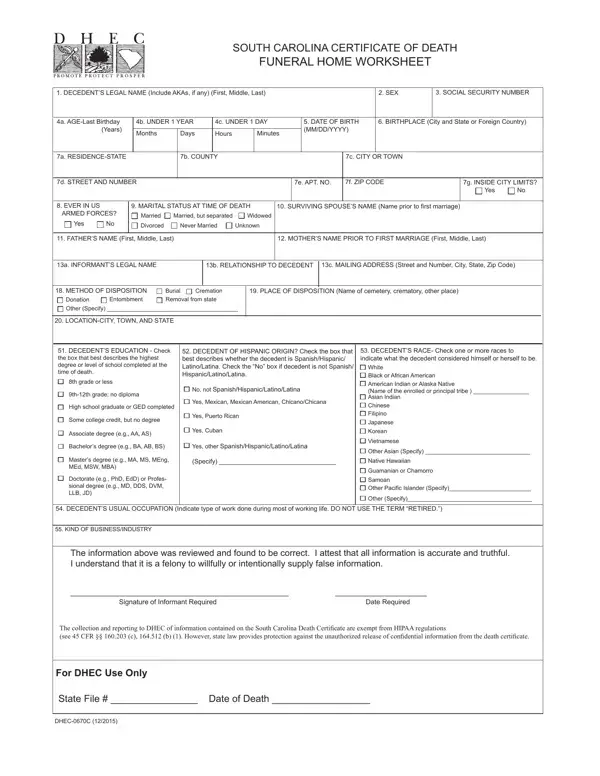

Form 0670C-ENG-DPH at a glance
What it is: This is the South Carolina Certificate of Death Funeral Home Worksheet, Form 0670C-ENG-DPH (07/2024).
Who signs: The Signature of Informant is Required, and so is the Date.
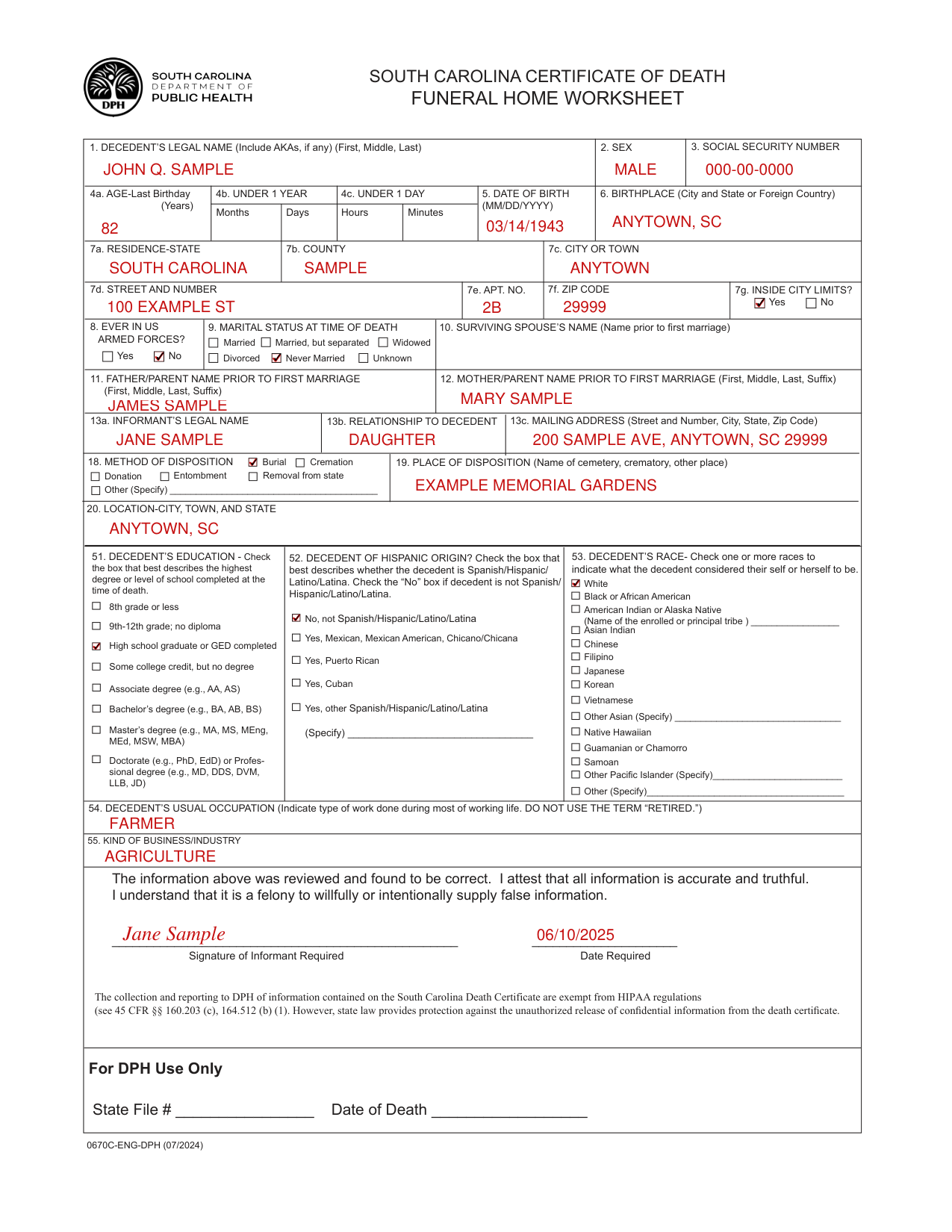
A filled-in Form 0670C-ENG-DPH example: an informant fills out the worksheet for her father
How to fill out Form 0670C-ENG-DPH, box by box
Decedent's legal name, sex and social security number

Enter the DECEDENT'S LEGAL NAME (Include AKAs, if any) (First, Middle, Last) in Box 1, the SEX in Box 2 and the SOCIAL SECURITY NUMBER in Box 3.
Age, date of birth and birthplace

Enter the AGE-Last Birthday (Years) in Box 4a. Enter UNDER 1 YEAR Months and Days in Box 4b. Enter UNDER 1 DAY Hours and Minutes in Box 4c.
Enter the DATE OF BIRTH (MM/DD/YYYY) in Box 5 and the BIRTHPLACE (City and State or Foreign Country) in Box 6.
Residence

Enter the RESIDENCE-STATE in Box 7a, the COUNTY in Box 7b, the CITY OR TOWN in Box 7c, the STREET AND NUMBER in Box 7d, the APT. NO. in Box 7e and the ZIP CODE in Box 7f. For INSIDE CITY LIMITS? in Box 7g, check No or Yes.
Armed forces, marital status, surviving spouse and parents

For EVER IN U.S. ARMED FORCES? in Box 8, check Yes or No.
For MARITAL STATUS AT TIME OF DEATH in Box 9, check Married, Married, but separated, Widowed, Divorced, Never Married or Unknown.
Enter the SURVIVING SPOUSE'S NAME (Name prior to first marriage) in Box 10.
Enter the FATHER/PARENT NAME PRIOR TO FIRST MARRIAGE (First, Middle, Last, Suffix) in Box 11 and the MOTHER/PARENT NAME PRIOR TO FIRST MARRIAGE (First, Middle, Last, Suffix) in Box 12.
Informant

Enter the INFORMANT'S LEGAL NAME in Box 13a, the RELATIONSHIP TO DECEDENT in Box 13b and the MAILING ADDRESS (Street and Number, City, State, Zip Code) in Box 13c.
Method and place of disposition

For METHOD OF DISPOSITION in Box 18, check Burial, Cremation, Donation, Entombment, Removal from state or Other (Specify). Enter the PLACE OF DISPOSITION (Name of cemetery, crematory, other place) in Box 19.
Enter the LOCATION-CITY, TOWN, AND STATE in Box 20.
Education, Hispanic origin and race
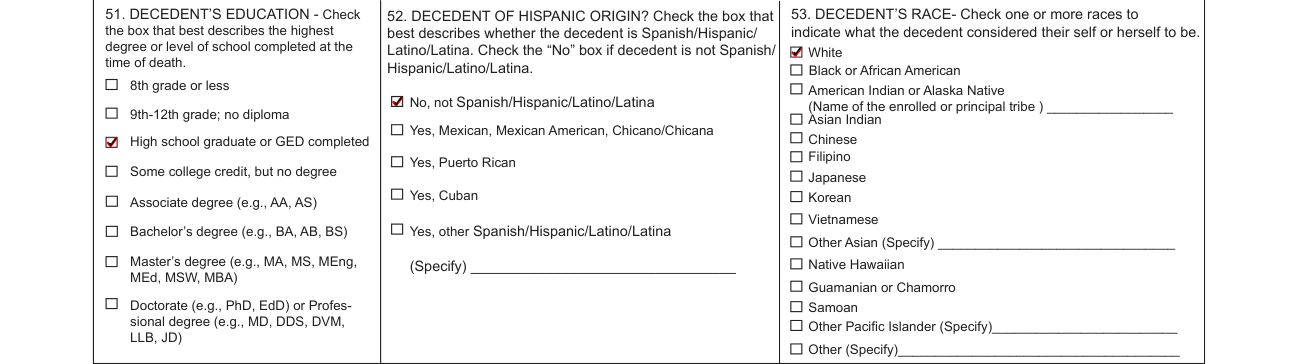
In Box 51, check the box that best describes the highest degree or level of school completed at the time of death. Check 8th grade or less; 9th-12th grade; no diploma; High school graduate or GED completed; Some college credit, but no degree; Associate degree; Bachelor's degree; Master's degree; or Doctorate or Professional degree.
In Box 52, check the box that best describes whether the decedent is Spanish/Hispanic/Latino/Latina: No, not Spanish/Hispanic/Latino/Latina; Yes, Mexican, Mexican American, Chicano/Chicana; Yes, Puerto Rican; Yes, Cuban; or Yes, other Spanish/Hispanic/Latino/Latina (Specify).
In Box 53, check one or more races to indicate what the decedent considered their self or herself to be: White; Black or African American; American Indian or Alaska Native (Name of the enrolled or principal tribe); Asian Indian; Chinese; Filipino; Japanese; Korean; Vietnamese; Other Asian (Specify); Native Hawaiian; Guamanian or Chamorro; Samoan; Other Pacific Islander (Specify); or Other (Specify).
Usual occupation and kind of business

Enter the DECEDENT'S USUAL OCCUPATION (Indicate type of work done during most of working life) in Box 54, and do not use the term “RETIRED.” Enter the KIND OF BUSINESS/INDUSTRY in Box 55.
Signature of informant

The Signature of Informant is Required, and so is the Date.
The informant attests that all information is accurate and truthful.
Common questions about Form 0670C-ENG-DPH
Is there a penalty?
It is a felony to willfully or intentionally supply false information.
Sources
[1] Form 0670C-ENG-DPH (07/2024), South Carolina Certificate of Death Funeral Home Worksheet, South Carolina Department of Public Health (the Official source link on this page).