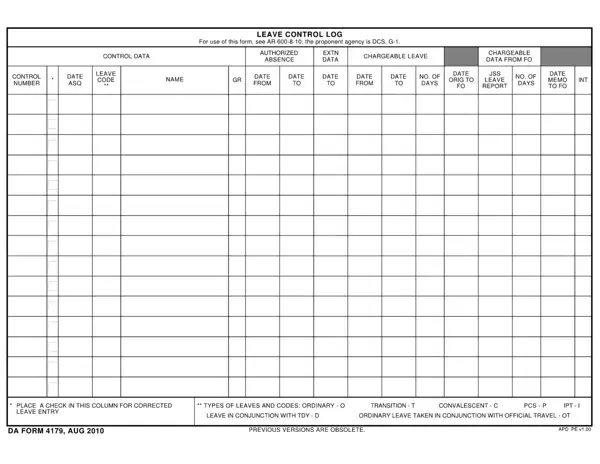
How to Fill Out DA Form 4179

DA Form 4179 at a glance

What it is: DA Form 4179 is the LEAVE CONTROL LOG.

A filled-in DA Form 4179 example: a clerk logs one leave
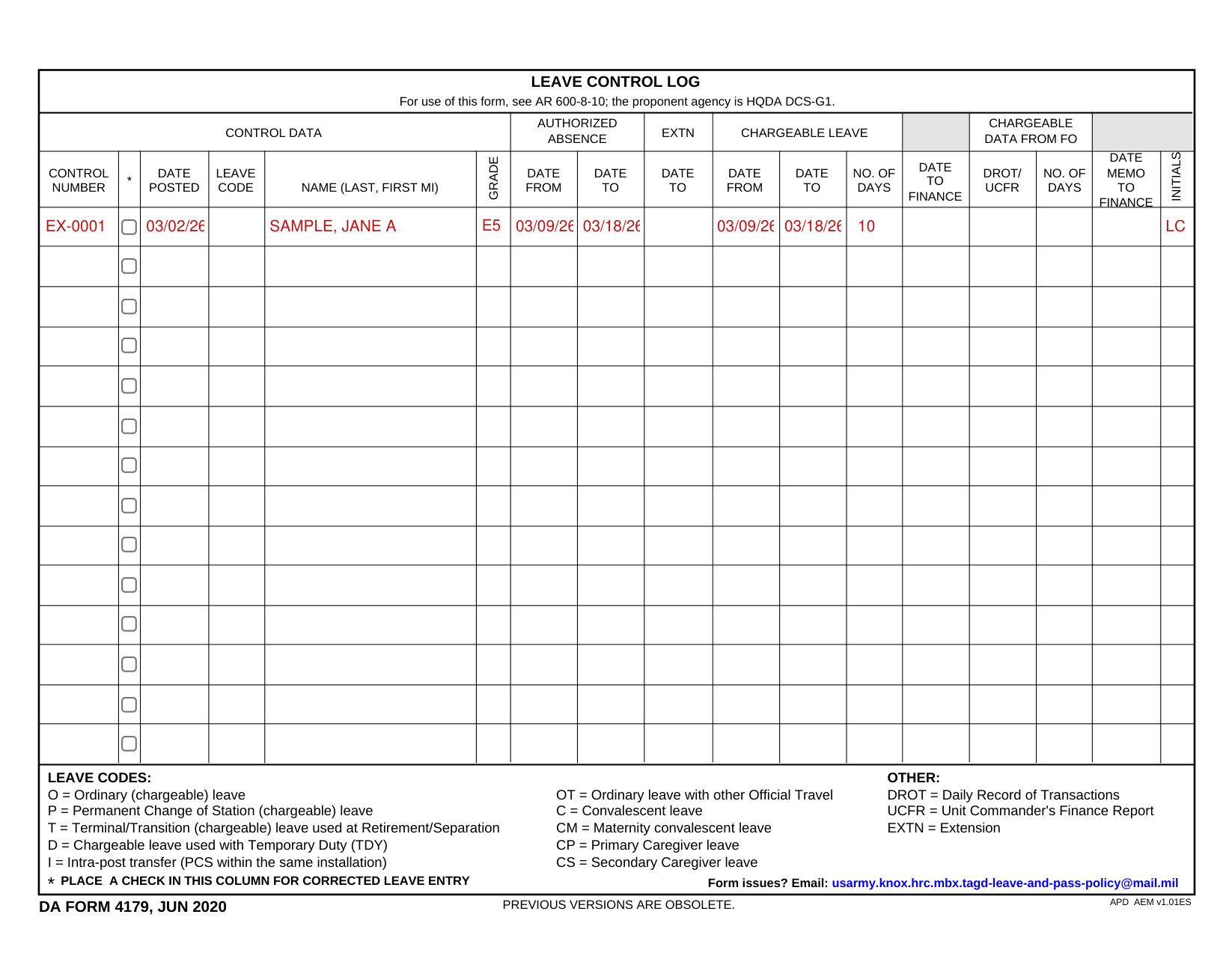
DA Form 4179 example filled out, example: a clerk logs one leave
A leave clerk logs one soldier's leave on DA Form 4179. The leave runs 10 days with no extension, so EXTN date to stays empty. The picture shows the first row, and its names and figures are sample values. The soldier takes all 10 days as chargeable leave, so Chargeable leave repeats the Authorized absence dates. The entry is new, so Corrected leave entry stays empty. No finance data is back yet, so Chargeable data from FO stays empty. The leave is ordinary chargeable leave, code O, but Leave code is left blank because the picture cannot fill its drop-down list. The clerk posts the entry on March 2, 2026, and adds a second clerk's initials.

How to fill out DA Form 4179, box by box

Control data

DA Form 4179 example filled out, control data

Fill in the CONTROL NUMBER, the DATE POSTED, the NAME (LAST, FIRST MI) and the GRADE.

Leave code

DA Form 4179 example filled out, leave code

Fill in the LEAVE CODE. LEAVE CODES: O = Ordinary (chargeable) leave, P = Permanent Change of Station (chargeable) leave, T = Terminal/Transition (chargeable) leave used at Retirement/Separation, D = Chargeable leave used with Temporary Duty (TDY), I = Intra-post transfer (PCS within the same installation).

OTHER: OT = Ordinary leave with other Official Travel, C = Convalescent leave, CM = Maternity convalescent leave, CP = Primary Caregiver leave, CS = Secondary Caregiver leave.

Authorized absence

DA Form 4179 example filled out, authorized absence

Under AUTHORIZED ABSENCE, fill in the DATE FROM and the DATE TO.

EXTN date to

DA Form 4179 example filled out, eXTN date to

Under EXTN, fill in the DATE TO.

Chargeable leave

DA Form 4179 example filled out, chargeable leave

Under CHARGEABLE LEAVE, fill in the DATE FROM, the DATE TO and the NO. OF DAYS.

Chargeable data from FO

DA Form 4179 example filled out, chargeable data from FO

Under CHARGEABLE DATA FROM FO, fill in the DATE TO FINANCE, the DROT/ UCFR, the NO. OF DAYS and the DATE MEMO TO FINANCE for the leave.

DROT = Daily Record of Transactions, UCFR = Unit Commander's Finance Report, EXTN = Extension.

Initials

DA Form 4179 example filled out, initials

Fill in the INITIALS.

Corrected leave entry

DA Form 4179 example filled out, corrected leave entry

Place a check in this column for a corrected leave entry.

More rules for DA Form 4179

For use of this form, see AR 600-8-10; the proponent agency is HQDA DCS-G1.

Form issues? Email: usarmy.knox.hrc.mbx.tagd-leave-and-pass-policy@mail.mil

PREVIOUS VERSIONS ARE OBSOLETE.

Sources

[1] DA Form 4179 (JUN 2020), Leave Control Log, U.S. Army (the Official source link on this page).

DA Form 4179 PDF Details

O = Ordinary (chargeable) leave; P = Permanent Change of Station (chargeable) leave; T = Terminal/Transition (chargeable) leave used at Retirement/Separation.

Other codes: D = Chargeable leave used with Temporary Duty (TDY); I = Intra-post transfer (PCS within the same installation).

Other leave: OT = Ordinary leave with other Official Travel; C = Convalescent leave; CM = Maternity convalescent leave.

Caregiver leave: CP = Primary Caregiver leave; CS = Secondary Caregiver leave.

Corrections: place a check in this column for corrected leave entry.

QuestionAnswer
Form Name DA Form 4179
Form Length 1 page
Fillable? Yes
Fillable fields 238
Avg. time to fill out 40 min
Other names DA Form 4179, DA 4179, DA4179, Form 4179, Army 4179, Leave Control Log
EditionJUN 2020
Proponent agencyHQDA DCS-G1 (AR 600-8-10)
Previous versionsObsolete
Official sourceDA Form 4179 (Rev JUN 2020), HQDA DCS-G1