
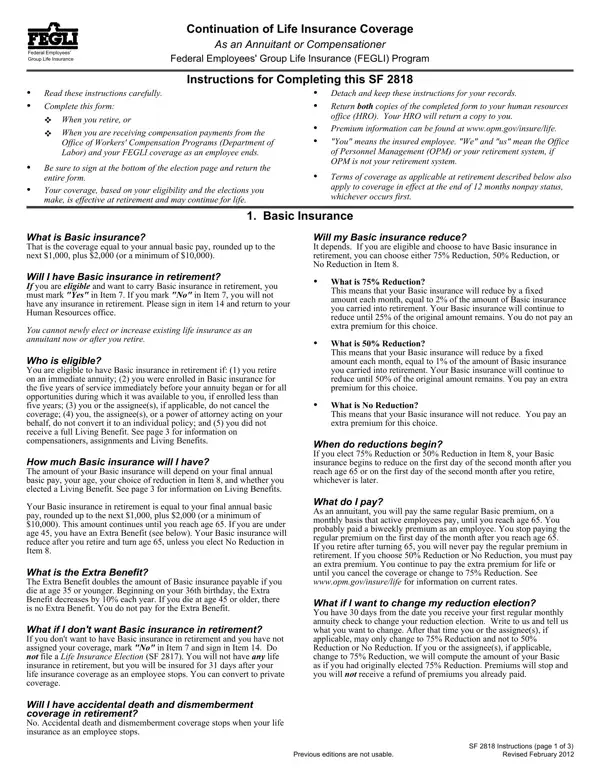
Sf 2818 Form PDF Details

When federal employees approach retirement or become compensationers under the Office of Workers' Compensation Programs, navigating the transition of benefits, particularly life insurance coverage, becomes a crucial step. The Standard Form 2818 (SF 2818) serves as the key instrument in this transitional phase, guiding retirees and compensationers through the process of electing the continuation of their Federal Employees' Group Life Insurance (FEGLI) coverage into their post-employment lives. This form encompasses not only the basic life insurance that's pegged to the annual basic pay but also extends to optional insurance avenues—each with its eligibility criteria, reduction options, and implications on coverage. The SF 2818 meticulously outlines the instructions for completion, the critical decisions regarding the level of coverage to continue, the reduction choices that influence the future financial landscape of the insurance amount, and the nuances of premiums post-retirement. With its pivotal role in ensuring retirees and compensationers are well-informed about their insurance options, the SF 2818 is essential for securing a financial safety net, tailored to the unique preferences and needs as one transitions from active employment to retirement or compensation.

QuestionAnswer
Form NameSf 2818 Form
Form Length5 pages
Fillable?No
Fillable fields0
Avg. time to fill out1 min 15 sec
Other namesopm standard form 2818, sf 2818 fillable forms, sf 2818 printable, sf 2818 continuation of life insurance

How to Edit Sf 2818 Form Online for Free

sf 2818 can be completed with ease. Simply try FormsPal PDF editor to complete the job fast. Our tool is continually developing to give the very best user experience attainable, and that's thanks to our commitment to constant enhancement and listening closely to customer opinions. To begin your journey, take these basic steps:

Step 1: Press the "Get Form" button above. It's going to open up our pdf tool so you could begin completing your form.

Step 2: After you access the PDF editor, you will get the document ready to be filled in. Other than filling out various fields, it's also possible to do many other actions with the form, particularly putting on any words, modifying the original text, adding images, signing the PDF, and much more.

With regards to the blanks of this precise PDF, here is what you should do:

1. Whenever completing the sf 2818, be sure to incorporate all of the important fields in the relevant section. This will help facilitate the work, allowing for your information to be processed quickly and accurately.

Tips on how to fill in opm form sf 2818 step 1

2. Right after performing the previous step, go to the next part and fill out the necessary particulars in these blank fields - What is the Extra Benefit The, What if I dont want Basic, Will I have accidental death and, What do I pay As an annuitant you, What if I want to change my, and SF Instructions page of.

opm form sf 2818 completion process clarified (part 2)

3. This third step should be fairly simple, How many multiples of Option B, the years of service immediately, all service during which those, Will my Option B andor Option C, cid, What is Full Reduction This means, Option A is free starting on the, What do I pay for Options B and C, For Full Reduction multiples, What if I want to change my, and SF Instructions page of Revised - each one of these fields has to be completed here.

Part number 3 of filling out opm form sf 2818

4. The next part needs your details in the subsequent parts: Identifying Information Employees, Employing departmentagency, Date of birth mmddyyyy, Social Security number, Work location city state ZIP, Compensation claim number, code, if applicable, Basic Life Insurance Do you want, Yes If yes complete item, I received a full Living Benefit, What level of Basic do you want, Reduction, Reduction, and Reduction. Make sure you fill in all requested details to move onward.

opm form sf 2818 completion process outlined (step 4)

People generally get some things incorrect when filling in Employing departmentagency in this part. You should read twice everything you enter here.

5. Now, this last subsection is what you will have to wrap up before finalizing the document. The blanks at this point include the following: continue in retirement Put a, number of NO REDUCTION multiples, number of FULL REDUCTION multiples, Option C Family Optional Insurance, Do you want to have Option C in, Check yes only if you currently, Yes If yes complete item, I dont have Option C, How many multiples of Option C do, continue in retirement Put a, number of NO REDUCTION multiples, number of FULL REDUCTION multiples, Signature Signature Do not print, and of attorney are not acceptable.

Step # 5 of submitting opm form sf 2818

Step 3: Prior to moving forward, double-check that all blank fields are filled in properly. When you’re satisfied with it, press “Done." Acquire your sf 2818 as soon as you join for a free trial. Quickly use the pdf document within your FormsPal account page, together with any modifications and changes automatically synced! We do not sell or share the information that you enter whenever filling out forms at FormsPal.