
Updated:
A California rental application is a written request to rent a home. The form collects the applicant's identity, jobs, income, past addresses, vehicles, references and credit accounts. The application is needed by every adult applicant before a California landlord signs a lease.
Key facts
Build Your Document
Answer a few simple questions to make your document in minutes
Save and Print
Save progress and finish on any device, download and print anytime
Sign and Use
Your valid, lawyer-approved document is ready
The California rental application asks for the applicant's identity, household, employment, residence history and credit accounts, so a landlord can screen one prospective tenant from one form. Each part of the form below has its own block with its own labels.
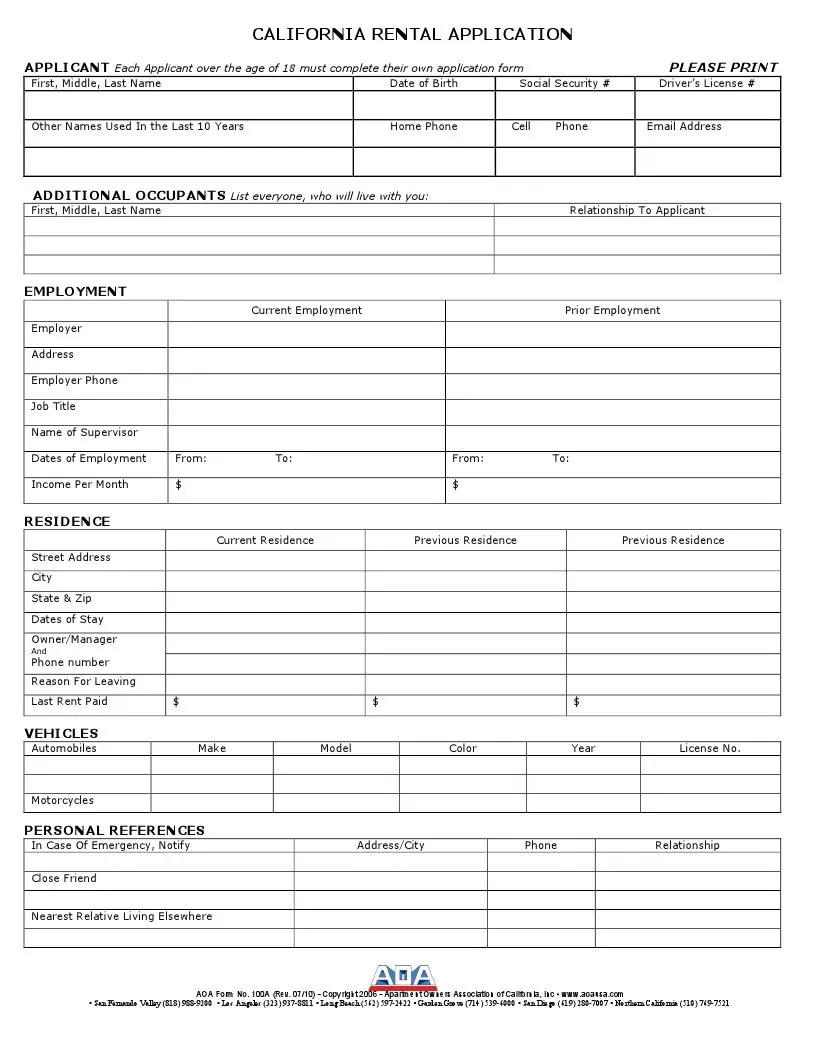
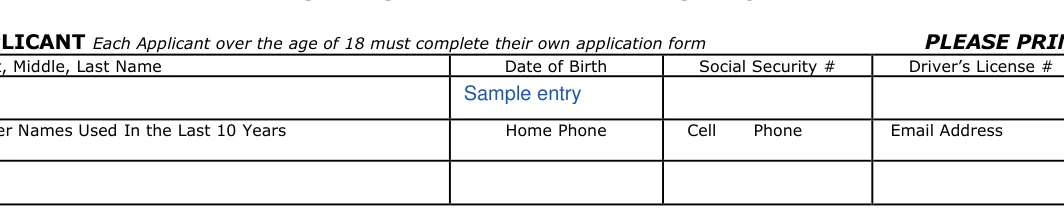
The applicant block of the form records the full name, date of birth, Social Security number, driver's license number, any other names used, home and cell phone numbers and email. The ADDITIONAL OCCUPANTS lines name everyone else who will live in the home and their relationship to the applicant.
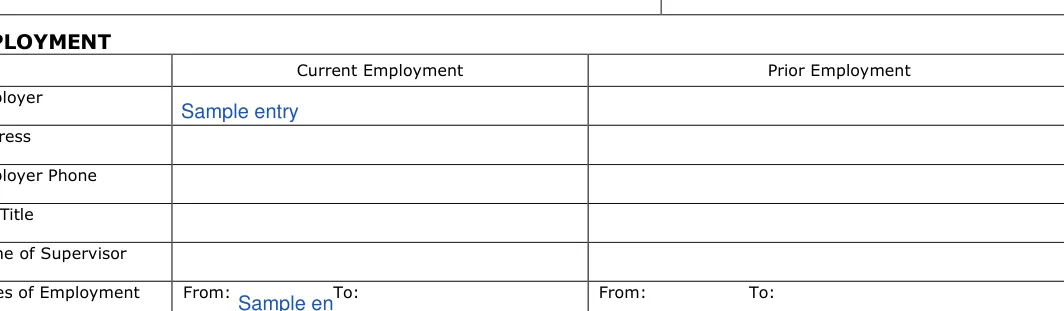
The employment block of the form sets the current and prior employer side by side: employer, address, employer phone, job title, supervisor, dates of employment and income per month. The income line is the figure a landlord reads against the monthly rent named on the second page.
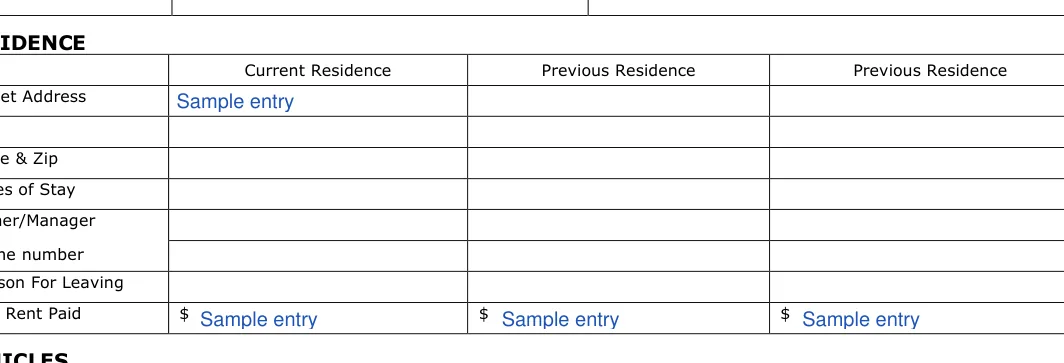
The residence block gives the applicant's rental history: the current residence and the previous residences, each with its address, dates of stay, owner or manager and phone, reason for leaving and last rent paid. The owner or manager named for each address is the person a landlord calls for a rental reference.
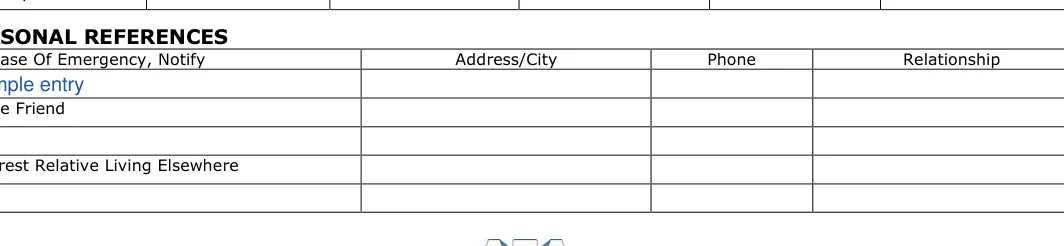
The vehicles section lists the make, model, color, year and license number of each automobile and motorcycle. The personal references section names an emergency contact, a close friend and the nearest relative living elsewhere, each with address, phone and relationship.
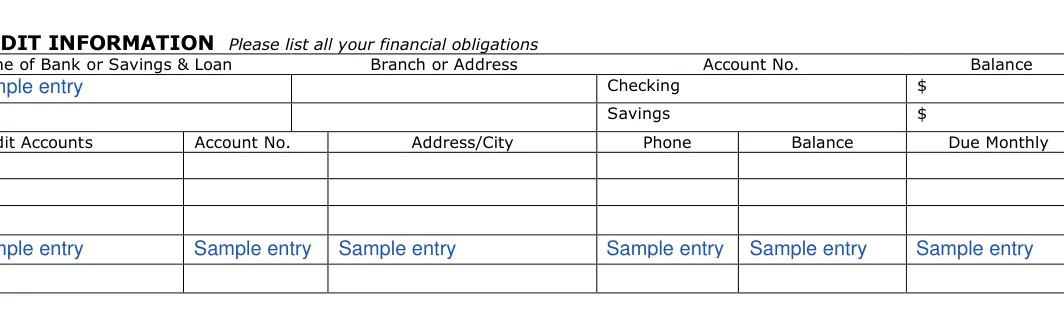
The credit information section on the second page lists the applicant's checking and savings accounts with bank, branch, account number and balance, then each credit account with its balance and monthly amount due. This section shows the landlord the applicant's financial obligations next to the income given on the first page.
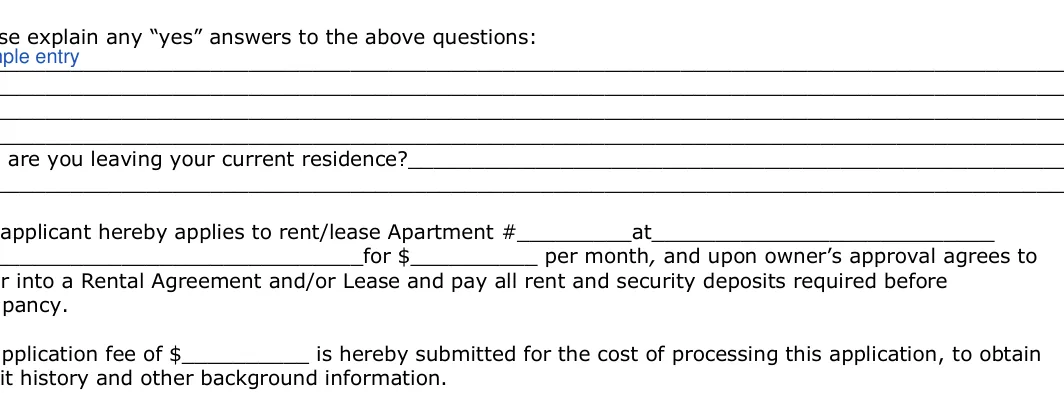
The general information questions ask, with a YES or NO box each, about smoking, pets, bankruptcy, musical instruments, water-filled furniture, drug or other criminal convictions and past evictions. Every YES answer gets a short explanation on the lines below the questions.
The paragraph above the signature names the unit applied for: the apartment number, address, monthly rent and the application fee amount. The applicant fills these blanks in with the figures the landlord gives for that unit.
The application is completed by each adult applicant separately, while children and other household members appear only as additional occupants on the applicant's form. The form says each applicant over 18 completes their own application. Co-applicants can each use the same unit address and rent amount on page 2.
The finished application goes from the applicant to the landlord or property manager, who reviews it before offering a lease. A household of two working adults therefore hands in two applications for one unit.
A rental application screens the applicant, while a lease agreement sets the tenancy itself: the rent, the term, the deposit and the rules both sides sign. The application comes first, and the lease follows only after the landlord approves the applicant.
The search terms "lease application", "tenant application" and "application to rent" name the same document as "rental application". The lease and the other California rental documents are on the California lease agreement page.
The California Association of REALTORS (C.A.R.) and the California Apartment Association (CAA) each publish their own Application to Rent, the form many California agents and property managers hand out. The application on this page is a separate form, not an association form, and it asks for the same kinds of history: identity, employment, residence, references and credit.
The form details table sums up the California rental application: its other names, the deposit rule that applies after approval, the average time to complete it, the number of fillable fields and the file format.
| Document Name | California Rental Application Form | |
| Other Names | CA Rental Application, California Application to Rent, California Lease Application | |
| Security Deposit Limit After Approval | One month's rent, plus any rent for the first month paid on or before initial occupancy; two months' rent only if the landlord meets both requirements of the section | Cal. Civ. Code § 1950.5 |
| Avg. Time to Fill Out | 20 minutes | |
| # of Fillable Fields | 146 | |
| Available Formats | Adobe PDF |
The California rental application is filled out in the order of its own blocks: applicant details first, then occupants, employment, residence history, vehicles and references on the first page, and credit information, the YES or NO questions and the signature on the second.
The screenshots under each step show the California Rental Application template filled with sample entries in blue, so you can see where each answer goes. The names, addresses, dates and amounts are examples only.









The signed application then goes to the landlord or property manager who listed the unit, and the applicant keeps a copy.
The security deposit that follows an approved rental application is capped at one month's rent, in addition to any rent for the first month paid on or before initial occupancy, unless the landlord qualifies for the higher cap in Cal. Civ. Code § 1950.5.
The cap rises to two months' rent, in addition to the first month's rent, only if the landlord meets both of the requirements Cal. Civ. Code § 1950.5 sets for that higher amount. A lease or rental agreement cannot call any security "nonrefundable" when it falls under Cal. Civ. Code § 1950.5.
The move-in photographs are the landlord's duty when the tenancy begins on or after July 1, 2025: Cal. Civ. Code § 1950.5 requires photos of the unit immediately before, or at the inception of, the tenancy.
The deposit statement comes no later than 21 calendar days after the tenant has vacated the premises, when the landlord furnishes an itemized statement of the security and returns any remaining portion under Cal. Civ. Code § 1950.5.
An application with blank lines, mismatched ID numbers or unexplained YES answers is harder for a landlord to verify. Gather your addresses, employer details and reference phone numbers before you start, then work through the form from top to bottom.
Yes, a lease application and a rental application are the same document: the form a prospective tenant completes before the landlord offers a lease. California landlords and agents also call it an application to rent or a tenant application.
Yes, the California rental application is a fillable PDF that can be completed on a device or printed and filled in by hand in dark ink. A printed copy is signed in ink on the second page.
The application takes longest on the residence and employment history, so gathering past addresses, employer phone numbers and reference contacts first shortens it. The form details table above gives the average time to complete it.
The landlord reviews the application, contacts the employers, past landlords and references it lists, and then approves or declines the applicant. An approved applicant then signs a lease agreement and pays the move-in amounts it sets.
A completed application goes to the landlord or property manager who listed the unit, signed and with every line filled in or marked N/A.
Sign on the Applicant line at the bottom of page 2 and enter the date beside it. If you complete the PDF by hand, print the pages first and sign the second page in ink.
General information, not legal or tax advice.

