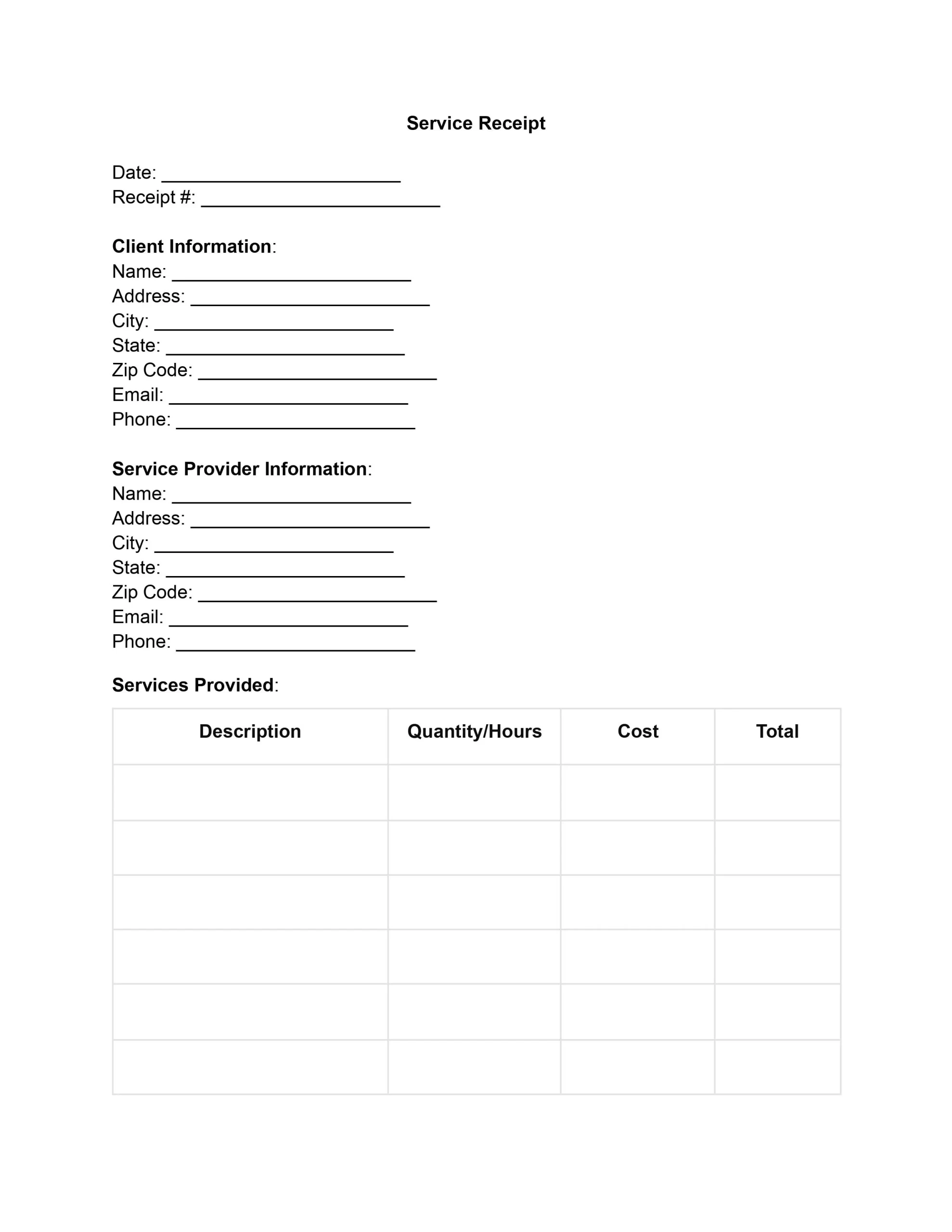
A service receipt template is a form that a business or an individual service provider fills out to confirm that a client paid for services. It records the date, a description of the work, the total cost, and how it was paid, so both sides have a clear record of the job.
Why Keep a Service Receipt
Service receipts provide a complete transaction record, minimizing misunderstandings or disagreements. They are also essential for accounting, allowing firms to keep accurate earnings records, handle taxes correctly, and plan their budget. A filled receipt for service template can be used as evidence in legal cases such as disputes, audits, and reviews.
A clear receipt also helps you respond to a client who questions what a particular charge covered. Clients frequently use their copies to track expenses and to compare prices over time.
Key Elements of a Service Receipt Template
A well-structured service receipt is a record that substantiates the exchange of services for payment between a provider and a client. Here are the key elements that are included in a receipt for services template to ensure it’s comprehensive:
- Date of the service provided. The specific day when the service was delivered, vital for record-keeping and financial tracking.
- Detailed description of the service. This should include a clear and concise explanation of the services rendered.
- Cost of the service rendered. The amount charged for the service before adding any taxes or discounts.
- Information about the service provider. Details such as the name of the service provider, contact information, and physical or mailing address.
- Information about the client. Similar to provider information, this includes the client’s name, contact details, and address.
- Payment method and details. Specifies how the payment was made (e.g., cash, credit card, bank transfer) along with payment terms (such as the due date if not paid upfront).
- Any applicable taxes. Details of any taxes applied to the service could vary depending on the service location and nature.
- Total amount charged. The final amount paid by the client, including the service cost, taxes, and any additional charges.
- Signature or digital confirmation from the provider. Verification of the transaction and agreement to the terms of the service rendered.
Service receipt templates ensure that every transaction is documented clearly and professionally. This documentation supports financial management and legal compliance and builds trust between service providers and their clients, establishing a foundation for ongoing business relationships.
If the work and the payment happen on different days, write both dates on the receipt. The record then shows when you finished the job and when the money arrived.
How to Fill Out a Service Receipt Template
Filling out a service receipt template takes only a few minutes. Work through the seven steps below in order, and keep notes on the job, the price charged, and the client’s contact information close by. Following these steps ensures that your receipt template for services rendered is filled out comprehensively, facilitating smooth financial transactions.
- Date and contact information. Start by entering the date the service was provided at the top of the service receipt form. Underneath, add the names, phone numbers or emails, and addresses of the provider and the client. This way both parties are easy to identify, and the receipt ties to one specific day.
- Service description. In the designated section, provide a detailed description of the service rendered. List each part of a package or bundle so the client sees exactly what they received. Clear wording helps prevent misunderstandings.
- Cost details. Enter the cost of the service rendered in the appropriate section. Use the base price before any taxes, discounts, or additional charges. Showing these figures on separate lines makes the pricing easy for the client to follow.
- Payment information. Write down how the client paid, such as cash, check, credit card, or electronic transfer. Add the terms, like due dates for partial payments, if they apply. This section is crucial for financial records and setting clear expectations about payment practices.
- Taxes and total amount. Calculate and specify any taxes applicable to the service provided. Then, add all charges together to indicate the total amount charged. Ensuring accuracy in this step is vital for compliance and maintaining a trustworthy relationship with your client.
- Final confirmation. Conclude by obtaining a signature or digital confirmation from the service provider. It works like a seal of approval for everything written above.
- Distribution. Finally, distribute the completed receipt of services template. Give the client a copy, either digital or paper, and keep a copy for your own records. Managing and storing these receipts is crucial for legal compliance and effective business administration.
Service Receipt Example
The sample below shows how a completed service receipt can look for a small cleaning job. Every name, address, and amount is made up for illustration, so replace them with your own details when you fill out your service receipt template.
| Field | Example entry |
|---|
| Receipt number | 0001 |
| Date of service | October 3 |
| Provider | Anna Baker, Baker Home Cleaning, 123 Main Street, Springfield |
| Customer | Mark Reed, 45 Oak Avenue, Springfield |
| Work done | Deep cleaning of a two-bedroom apartment, 4 hours |
| Price | $120.00 |
| Taxes | $0.00 |
| Total | $120.00 |
| Paid by | Credit card, paid in full on October 3 |
| Provider signature | Anna Baker |
How to Send and Store a Service Receipt
Provide the customer with a copy immediately after the customer settles the bill. A paper copy works well for jobs done in person, and a digital copy sent by email works well for remote or repeat customers. Either way, keep your own copy in a place where you can find it later.
- Give each receipt its own receipt number, such as 0001, 0002, and so on, so any receipt is easy to find.
- Save a digital copy as a PDF and name the file with the date and the customer’s name.
- Email the receipt to the customer with a short thank-you note.
- Keep paper copies in one folder, sorted by month.
Service Receipt vs. Sales Receipt and Invoice
Similar to a sales receipt, which confirms the purchase of goods, a service receipt template confirms the completion and payment of a service. Use a service receipt when the client paid for work, such as cleaning, repairs, tutoring, or consulting. Use a sales receipt when the client bought a product.
An invoice asks for money, and a receipt confirms that the money arrived. Many providers send the invoice first and the receipt after the client pays.
Other receipts cover special cases. If a job includes parts and labor, an itemized receipt lists each line. When a client settles the last balance, a paid in full receipt closes out the job. If the client hands over bills and coins, a cash receipt works well.
When to Use a Service Receipt
A service receipt template fits any job where a client pays for time, skill, or labor instead of a product. Common examples include a cleaning service receipt, an auto repair receipt, a tutoring session, a consulting hour, a photo shoot, or a freelance project.
Avoid vague lines such as “services.” Name the work, the job or the hours, and the price, so the client can match each charge to what they received.
Common Mistakes on a Service Receipt
Most problems with a service receipt template come from small oversights made while completing the form in a hurry. Compare the finished receipt against this short checklist before you deliver it to the customer by hand or by email.
- The date of the service is missing or does not match the work done.
- The cost, the taxes, and the final figure do not add up.
- The customer’s name or address differs from the name on the invoice or order.
- The provider’s signature or digital confirmation is left off.
- Nobody saved a copy for the provider’s own records.
Frequently Asked Questions
What is a service receipt template?
A service receipt template is a ready-made form that confirms a client paid for a service. It lists the date, a description of the work, the price, and how the client paid. The provider usually signs it and hands a copy to the client.
What is the difference between a service receipt and an invoice?
An invoice asks the client to pay. A service receipt shows that the client already paid. Some providers issue both for the same job, first the invoice and then the receipt.
Can a receipt show a partial payment?
Yes. Note what you received, the balance left, and the day of each installment. A final receipt can then show the full total once the last installment arrives.
Should I keep a copy of the receipt?
Yes, keep a copy for your own records. A saved copy, whether paper or digital, makes it simple to answer questions about a charge later.
General information, not legal or tax advice.
With over 25 years of experience as a business and transactional attorney, Jennifer has mastered the craft of closing highly successful deals for her clients. Through her wide-ranging expertise in commercial contracts, real estate transactions, M&A and corporate law, Jennifer secures results that are second-to-none.