
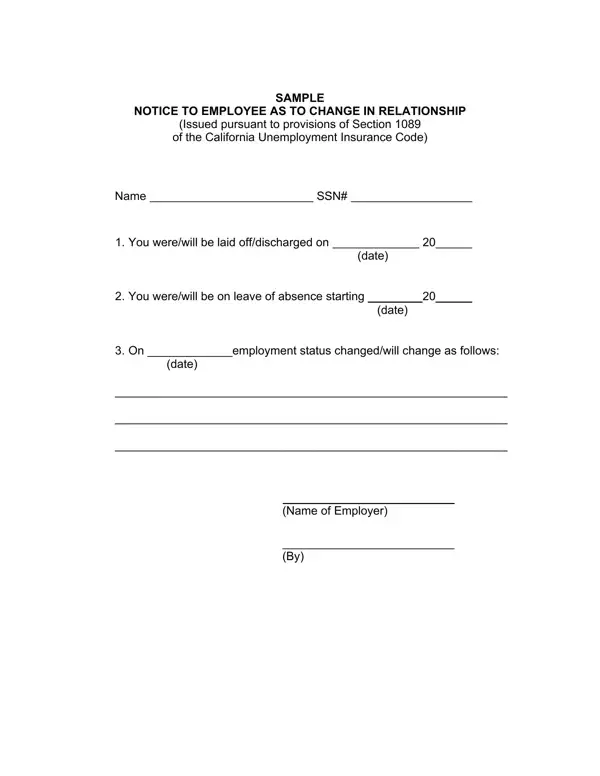
At some point, nearly every employee and employer may face a change in their working relationship. Recognizing this, the notice to employee as to change in relationship serves as a critical tool, especially under the framework provided by California's legal system. This document is rooted in the guidelines set forth by Section 1089 of the California Unemployment Insurance Code. The form is designed to formally notify employees about significant alterations in their employment status, such as layoffs, discharges, or the commencement of a leave of absence. It requires specific details including the employee's name, Social Security Number (SSN), the nature of the employment change, and the effective dates of these changes. Issued by the employer, this document not only serves as a formal record of the change but also plays a vital role in the employee's navigation through unemployment insurance and future employment opportunities.
California employers must issue a notice to employee as to change in relationship whenever any of the following situations occur:
The employer should deliver this form to the employee on the effective date of the change, or as soon as reasonably possible before that date. Providing the document promptly allows the employee to file for California unemployment insurance benefits without unnecessary delays.
A correctly completed change in relationship form California must include the following details:
Accurate completion of every field protects both parties during the unemployment claims process. For internal HR documentation of role or compensation changes, you may also need an Employee Status Change form alongside this notice.
Depending on the circumstances of the employment change, these related documents are often completed at the same time:
| Question | Answer |
|---|---|
| Form Name | Change Relationship Form |
| Also Known As | Notice to Employee as to Change in Relationship |
| Form Length | 1 pages |
| Fillable? | No |
| Fillable fields | 0 |
| Avg. time to fill out | 15 sec |
| Jurisdiction | California |
| Legal Authority | Section 1089, California Unemployment Insurance Code |
| Other names | notice employee change relationship, change in relationship form ca, notice to employee change in relationship ca, change of relationship form |
Change Relationship Form isn’t the one you’re looking for?