
Signing
Signing notifications
Notifications keep you and all signatories updated at every stage of the signing process. You'll receive real-time notifications throughout the document workflow, from sending the request to completing the signatures, so you always know its status.
Where to find notifications?
- You can access notifications by clicking the bell icon in the top-right corner of the screen:
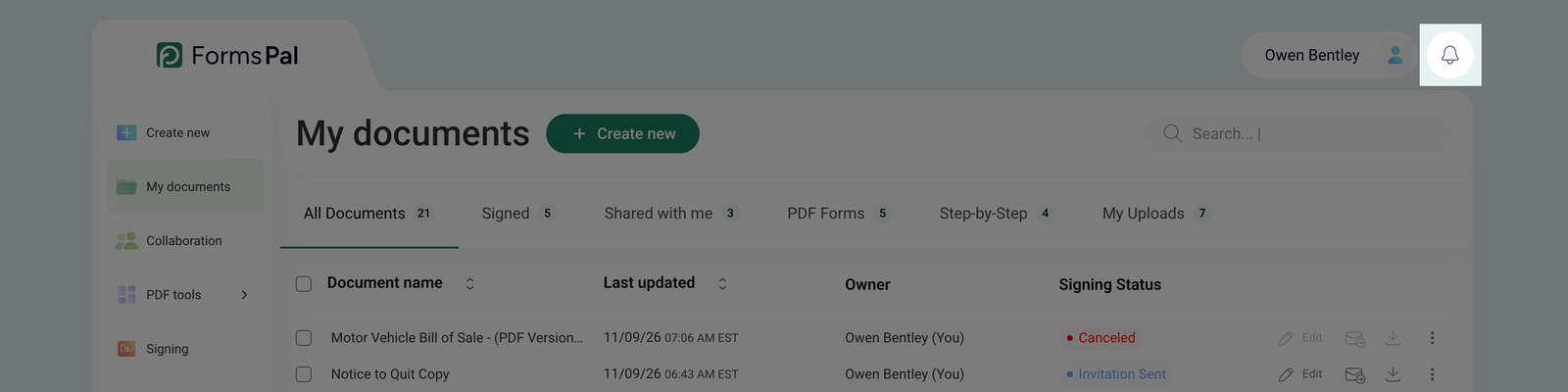
A red dot at the top of the bell icon indicates that you have unread notifications.
- After clicking the bell icon, a drop-down notification panel will open, displaying recent updates. Each notification includes a date and time stamp, helping you track when each event occurred:
- All new notifications will be displayed with a blue dot, indicating unread updates.
- You can mark all notifications as read by clicking the Mark all as read option at the bottom of the notification panel.
- If you want to remove all notifications, click Clear all in the top-right corner to empty the list.
- New notifications will also appear as pop-up messages in the bottom-right corner of the screen.
What types of notifications will you get?
Below are the main notifications you may receive during the document signing process:
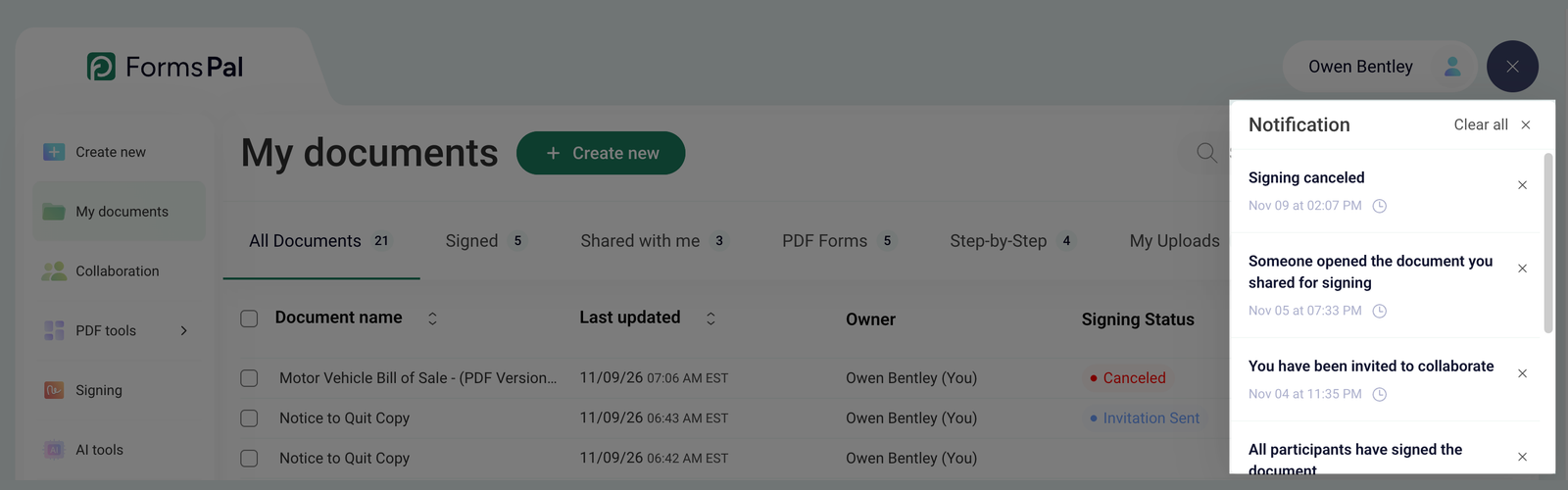
- User signed a document - this notification confirms that one of the signatories has completed the signing process.
- Signing canceled - if a participant cancels the signing process, this notification is sent to all involved parties. After this, the document is no longer valid.
- The invitation delivery failed, the user’s email might be invalid - this message appears if the email address to which the signature request was sent is incorrect or does not exist. The document will not be delivered to that recipient.
- You have been invited to sign - this notification confirms that the document has been sent for signing.
If you’re unsure about a document’s progress, check your notifications to see key updates. Reviewing notifications and contacting the relevant signatories can help resolve any delays or issues in the signing process.