
My Documents
Mail me
You can send documents directly to the email address associated with your account. This feature is useful when you need quick access to a document from your inbox or need to store a backup in your email.
Documents with the statuses To Sign, Pending, Canceled, Delivery Failed, or For Signature cannot be sent via email.
How to send a single document to your email?
To send a single document to your email, follow these steps:
- Go to the My documents section and find the document you want to send.
- Click the envelope icon (Send to email) next to the document name.
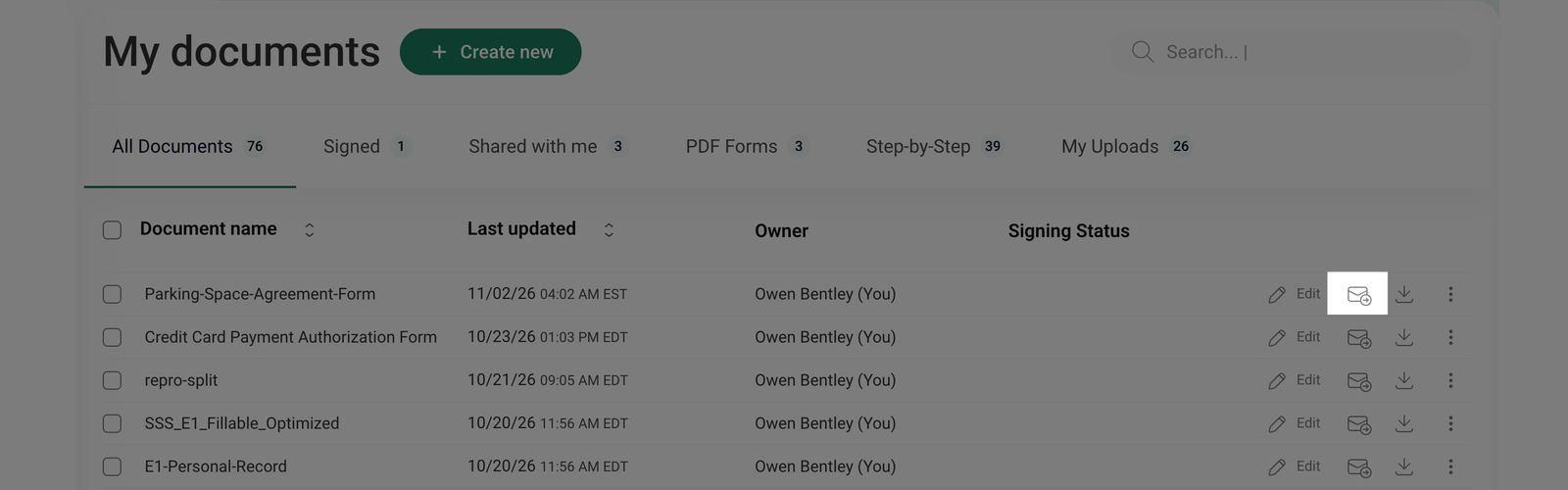
The document will be automatically sent to the email address linked to your account.
How to send multiple documents to your email?
To send multiple documents at once, follow these steps:
- Go to the My documents section and select the checkboxes next to the document names you want to send.
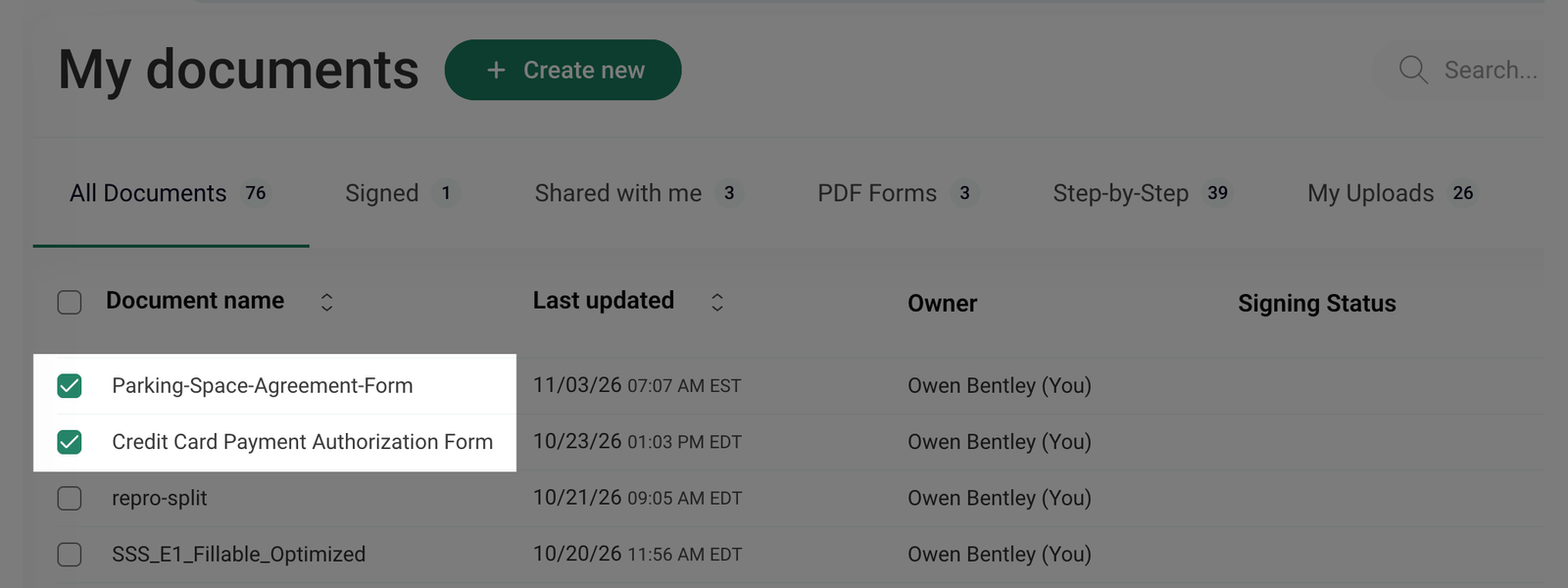
- To select all documents on the current page, click the checkbox next to the Document name at the top of the list.
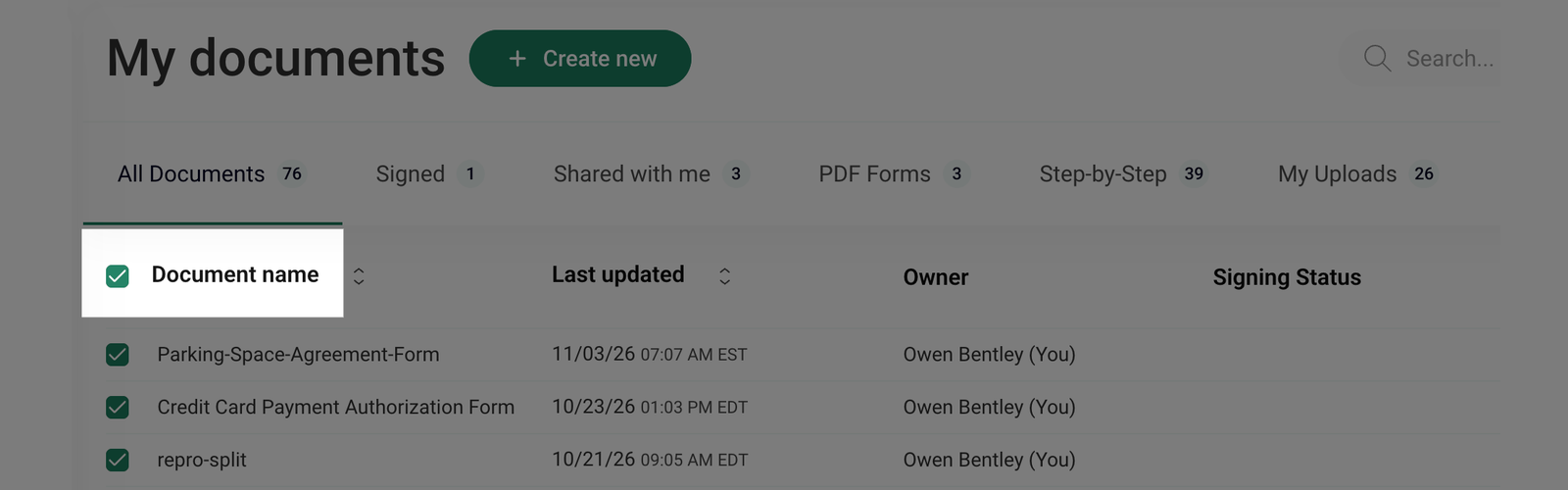
If your document list spans multiple pages, only the documents on the current page will be selected.
- Once you've selected the documents, an Actions menu will appear on the right. The number next to Actions shows how many documents are selected.
- Click Send to email all selected documents to the address linked to your account.
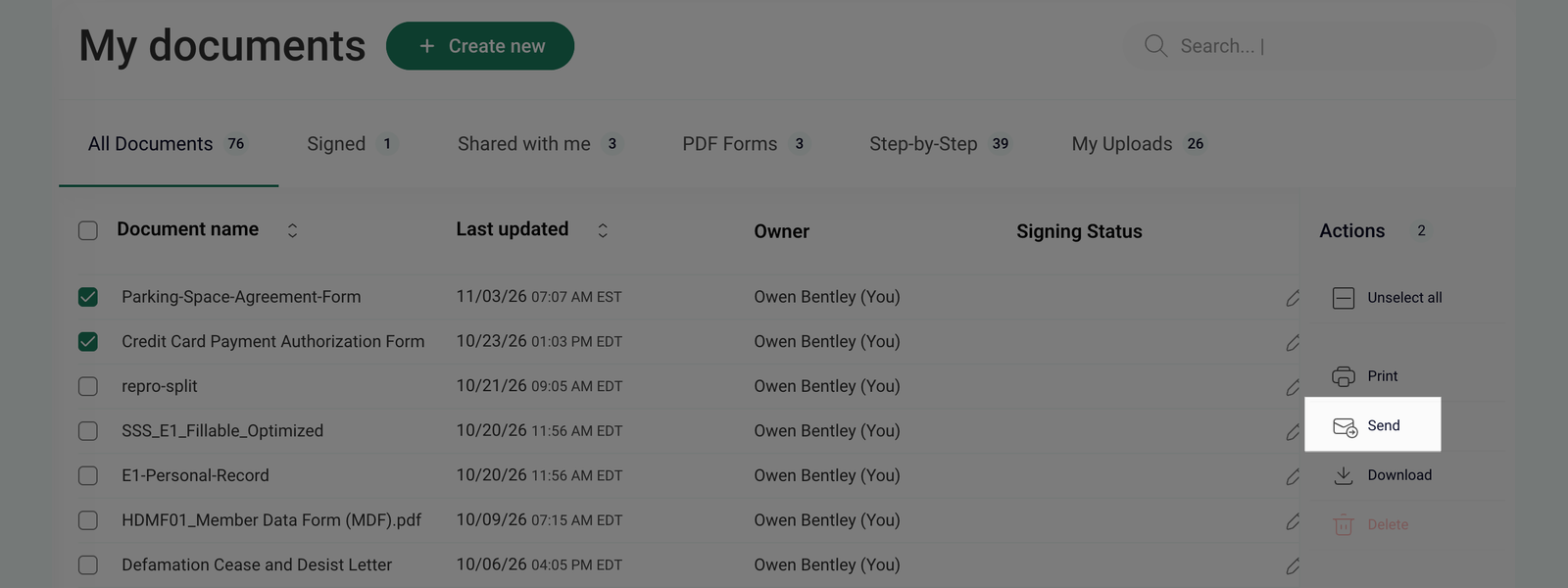
The selected documents will be automatically sent to the email address associated with your account.