
My Documents
Rename documents
The rename feature allows you to change the name of a document for better organization and identification.
Renaming is not available for documents with the following statuses: To Sign, Pending, Canceled, Delivery Failed, For Signature.
How to rename a document?
To rename a document, follow these steps:
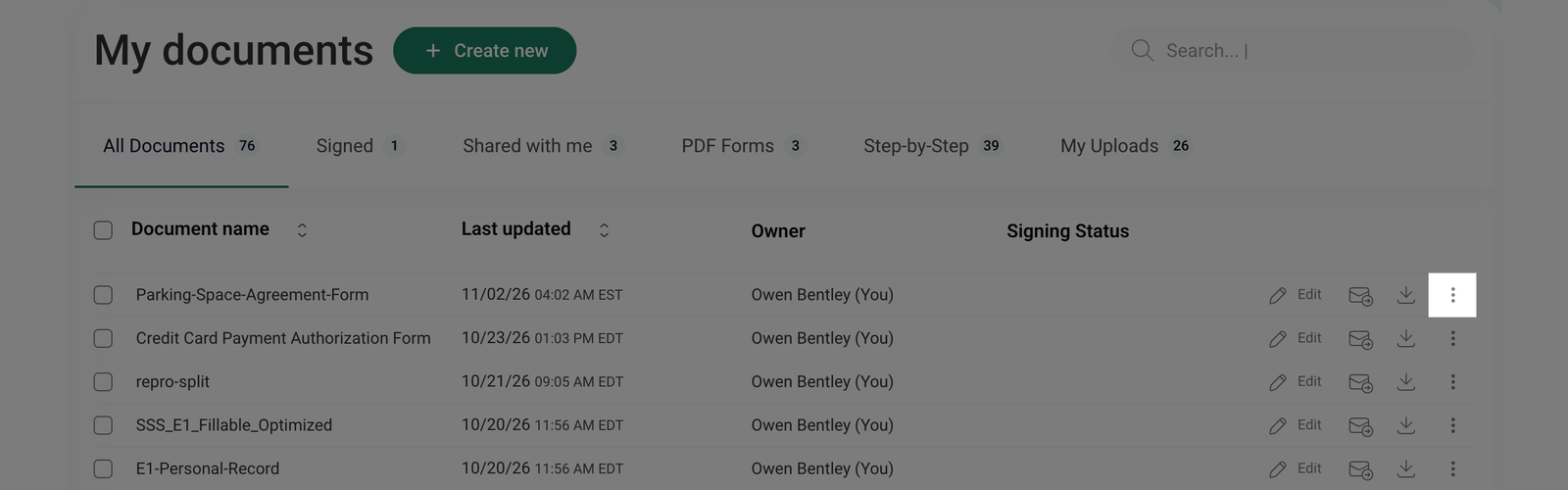
- Go to My documents and click the three-dot menu next to the document you want to rename.
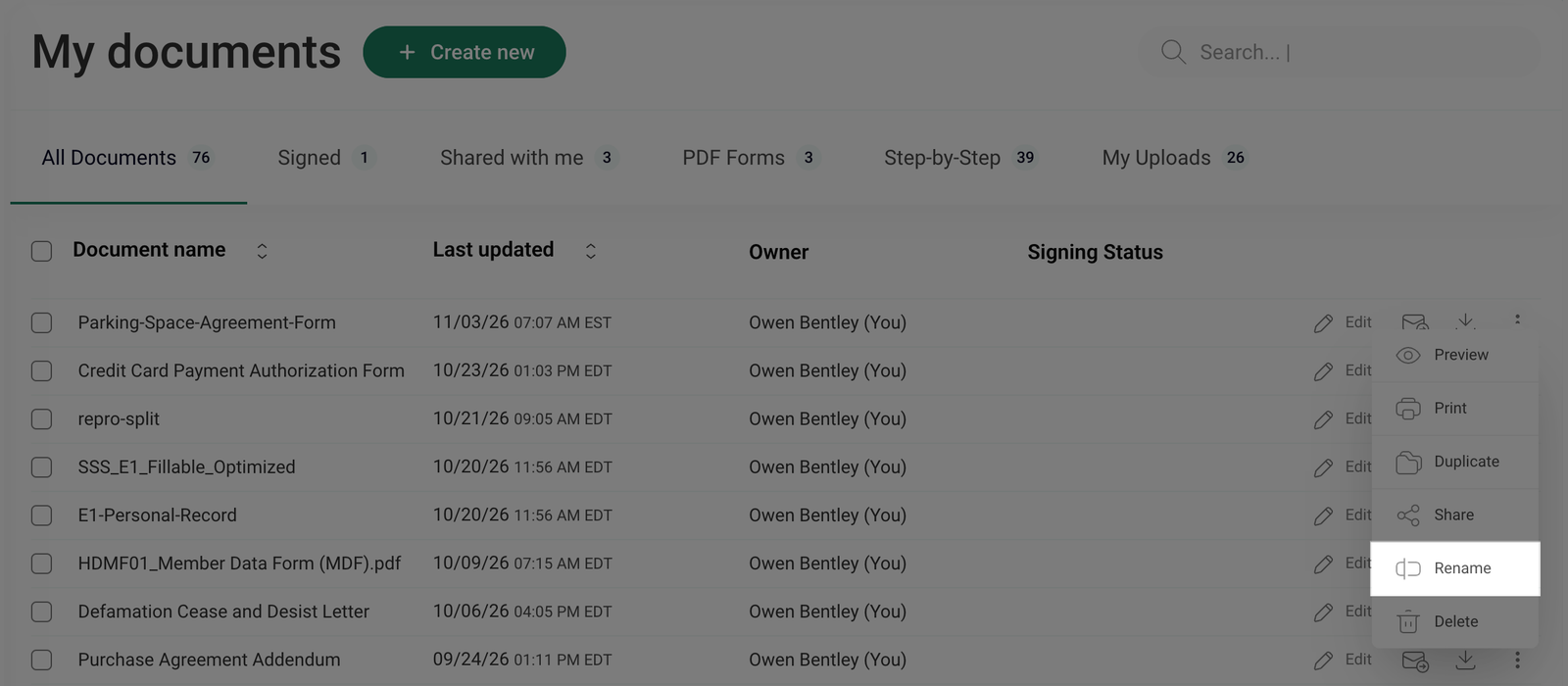
- From the dropdown menu, select Rename.
- A text field will open with the current document name. Edit the name as needed.

- Click the green checkmark to save the new document name, or click the X icon to cancel the changes and keep the original name.